In KALEOZ, you can leave us a message via Support Message feature whenever you need assistance from our KALEOZ Support Team.
Here are the steps to send us a message using the Support Message feature.
Via KALEOZ Main Menu
-
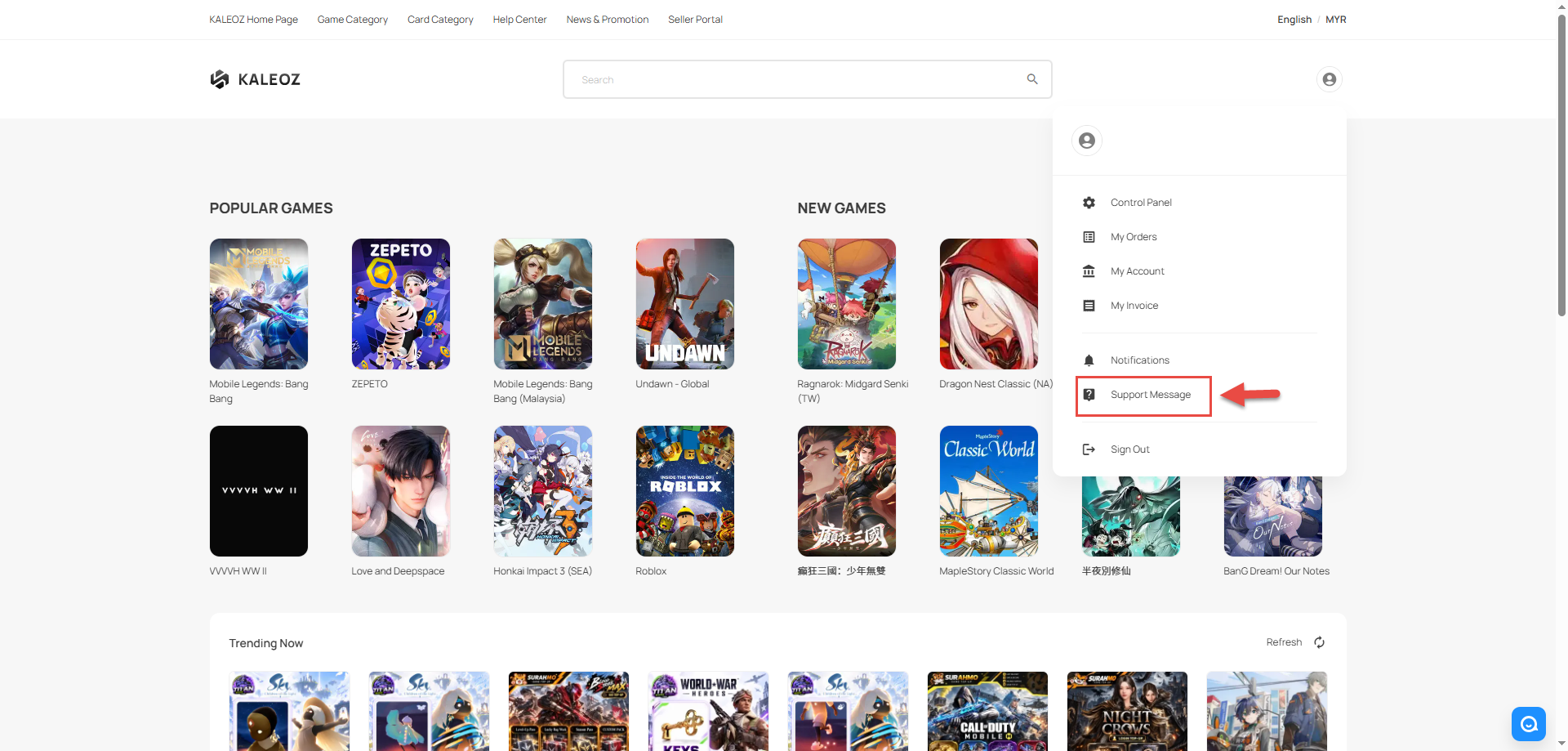
In KALEOZ Main Menu page, click your profile in the top-right corner then select "Support Message".
-
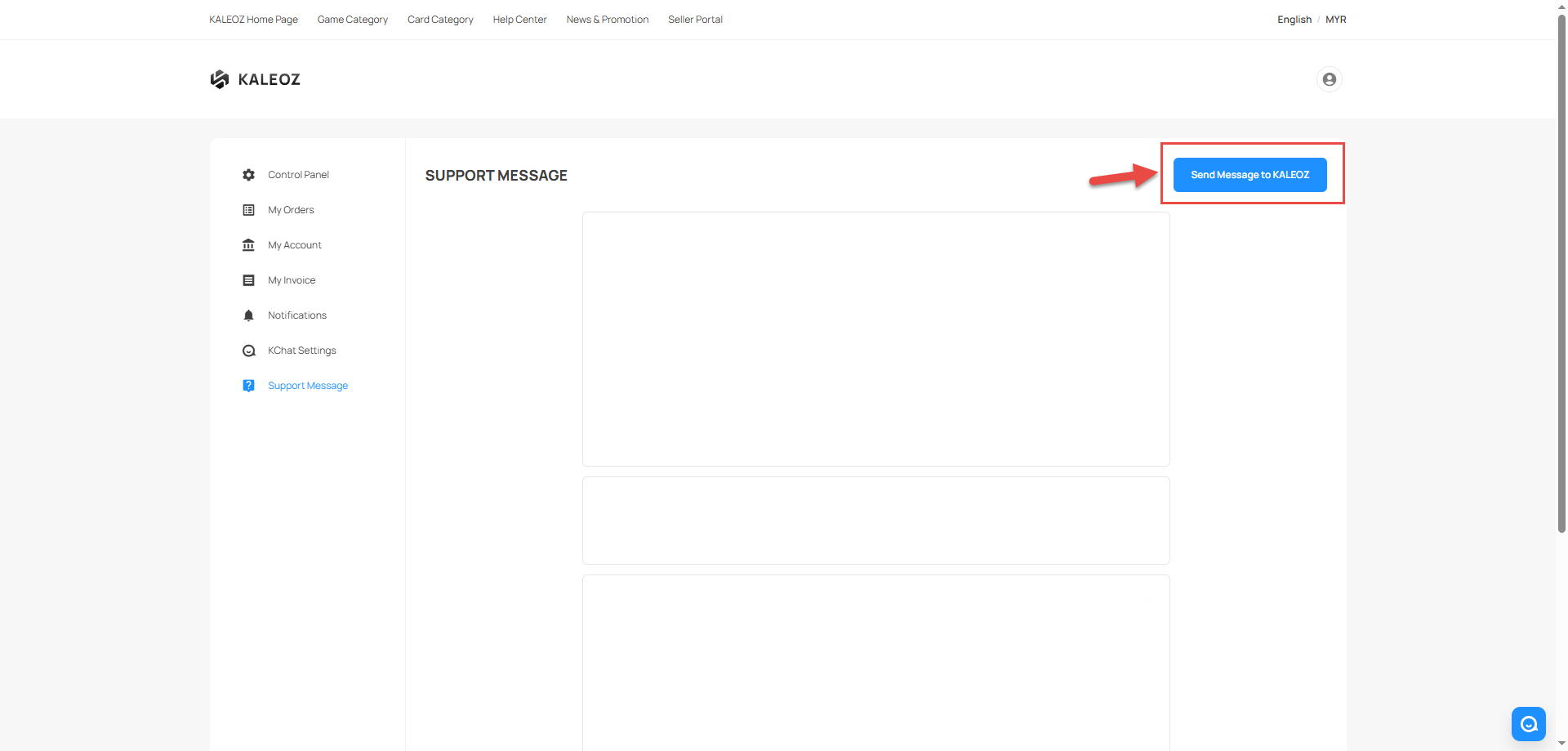
On the right corner, click "Send Message to KALEOZ".
-
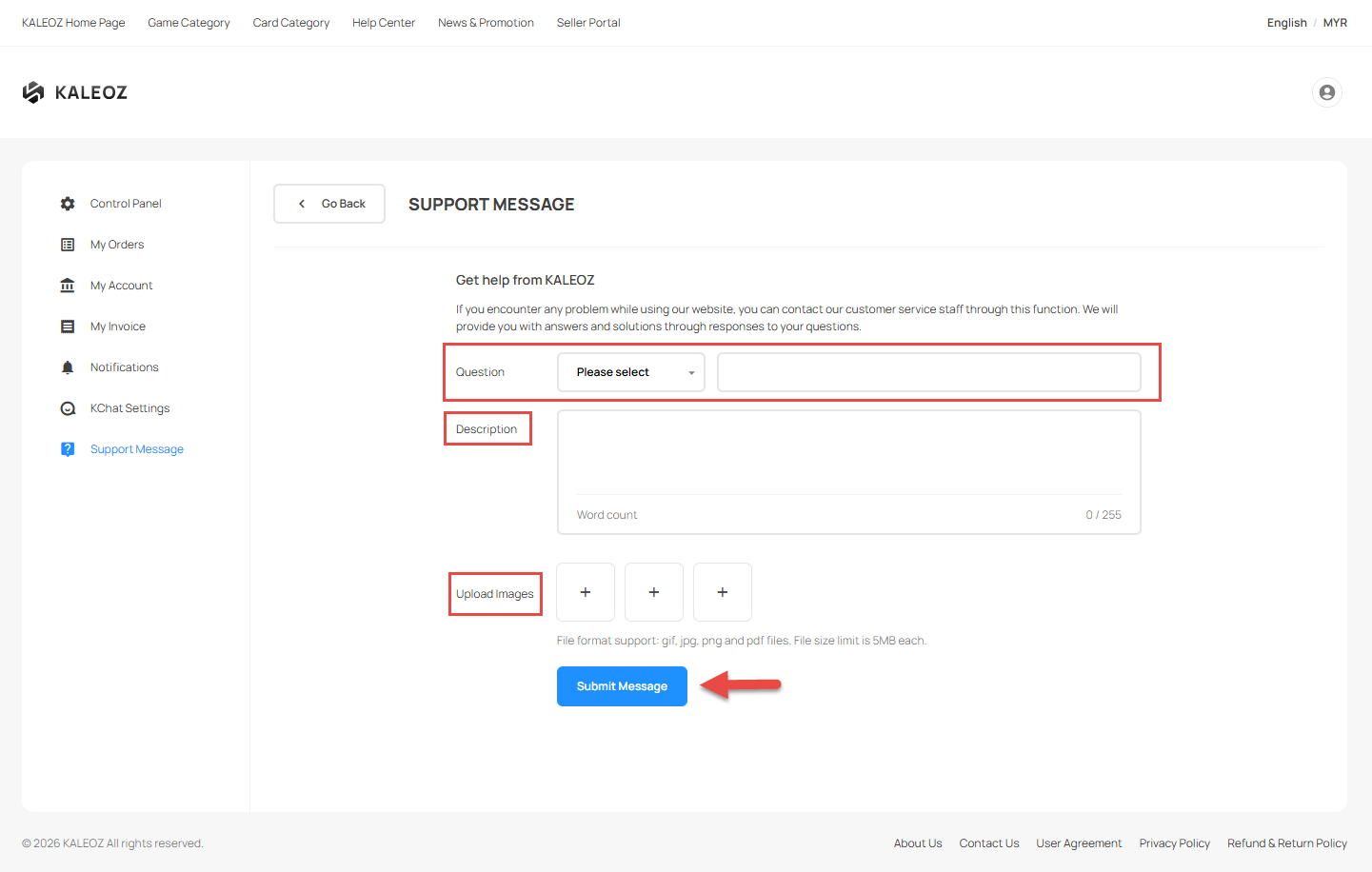
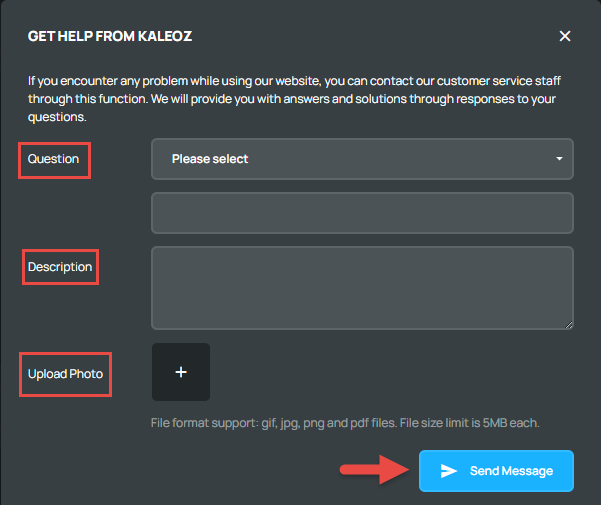
Select the relevant question, describe the issue you encountered, and upload an image of the issue if needed. Once you've complete filling the details, click "Send Message" to submit your message.
-
You can check back later for a reply. Our KALEOZ Support Team will respond to your message as soon as possible.
Via Seller Portal (For Sellers)
-
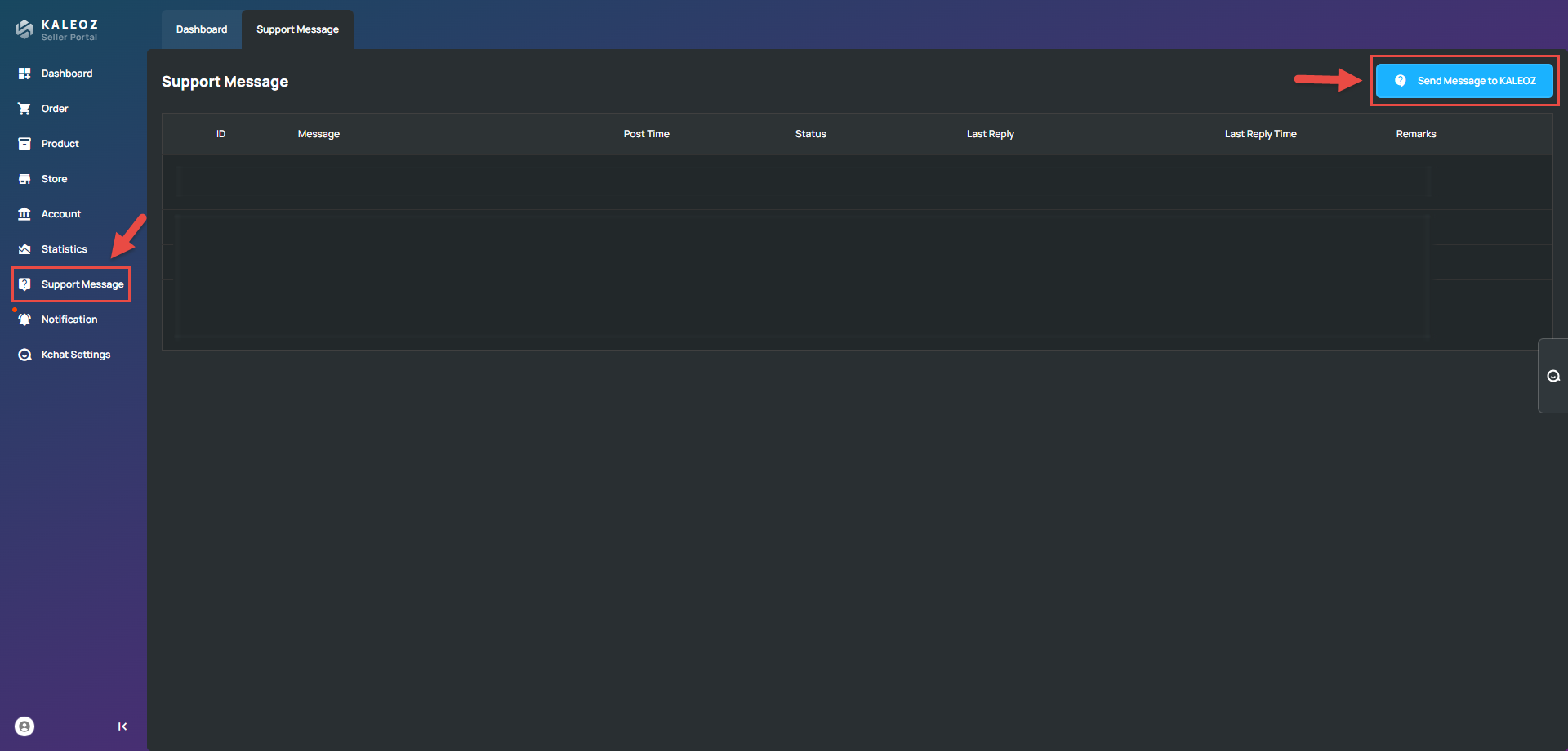
In the Seller Portal page, click "Support Message".
-
On the right corner, click "Send Message to KALEOZ".
-
Select the relevant question, describe the issue you encountered, and upload an image of the issue if needed. Once you've complete filling the details, click "Send Message" to submit your message.
-
You can check back later for a reply. Our KALEOZ Support Team will respond to your message as soon as possible.
If you require an urgent assistance or require a quicker responses, please contact our KALEOZ Customer Support Team and we’ll be more than happy to assist you!