In KALEOZ, our KChat supports the Quick Replies feature. Quick Replies are predefined messages that enable users to respond to frequently asked questions in a timely and consistent manner.
By utilizing Quick Replies, users can reduce repetitive typing, ensure accurate and uniform communication, deliver faster responses to customers, and enhance overall chat handling efficiency.
Below are the steps for setting up and using the Quick Replies feature:
Setting Up Quick Replies
-
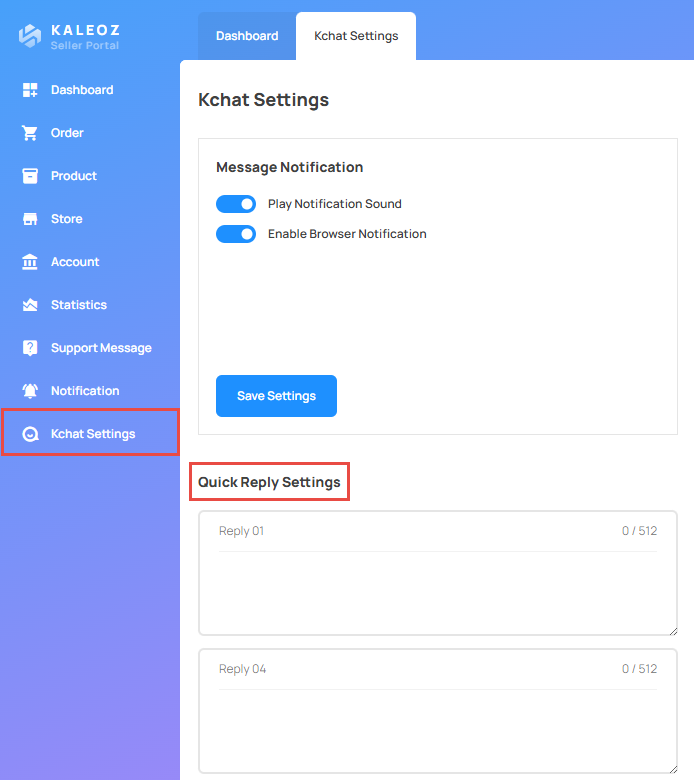
Log in to the KALEOZ Seller Portal.
-
Navigate to "KChat Settings" and locate "Quick Reply Settings".
-
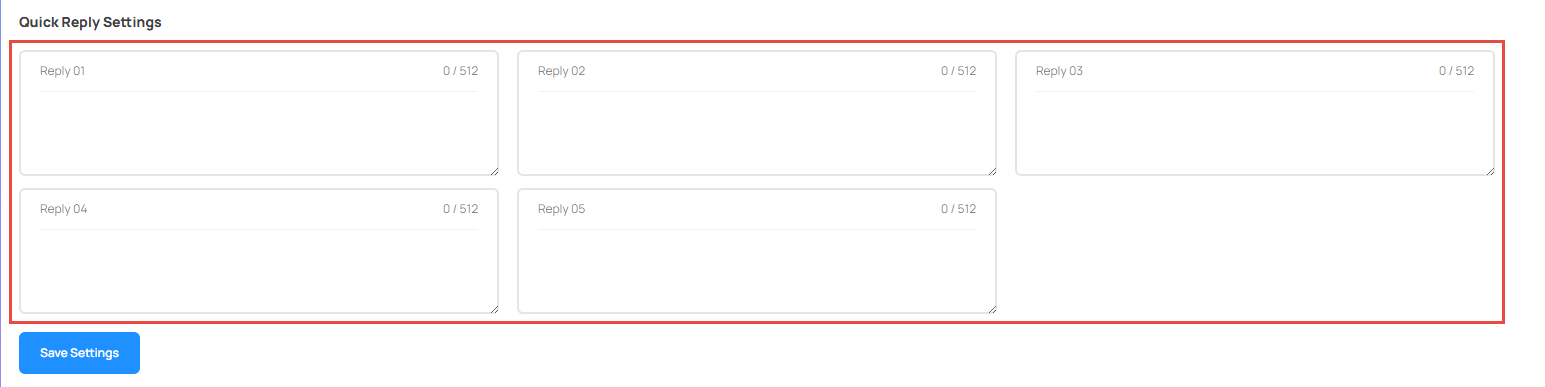
Enter your Quick Reply message in the provided field.
-
Once you have entered your Quick Reply message, click "Save Settings" to apply and save the message.
Using Quick Replies
-
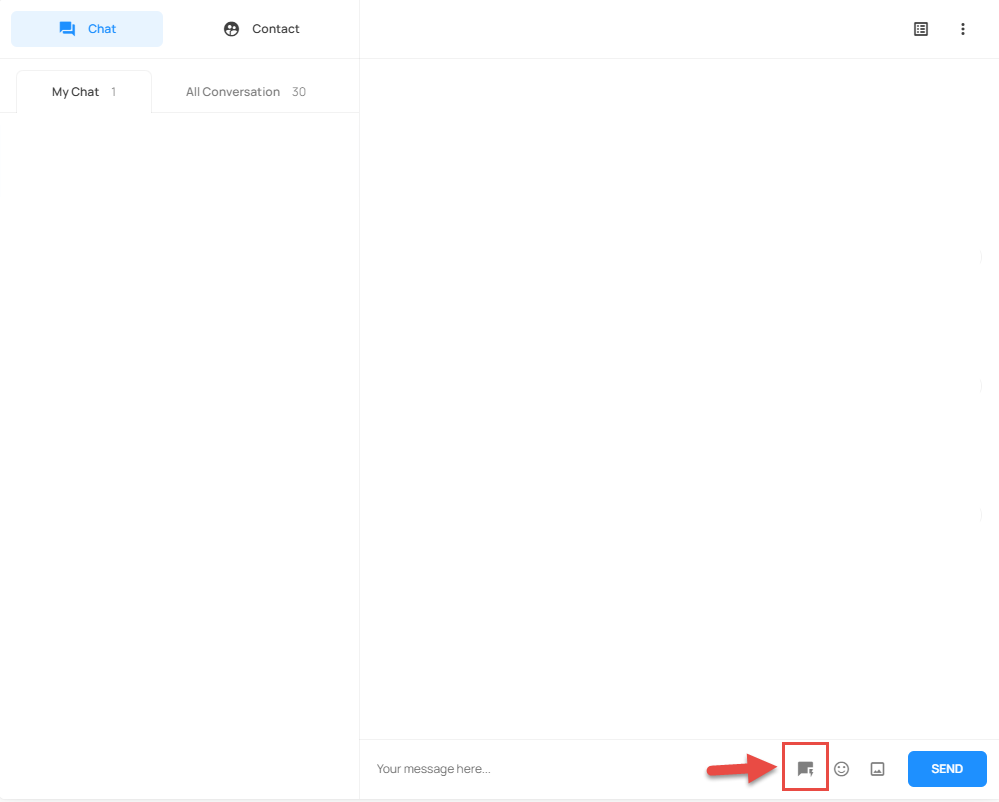
Begin a chat on the KChat page, then click the "Quick Reply" icon.
-
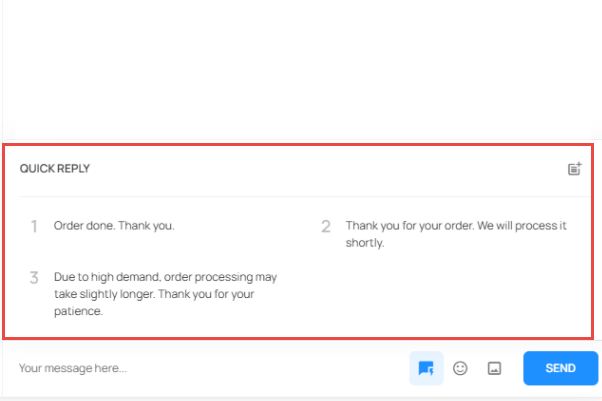
When the list of saved Quick Replies is displayed, choose the message you want to send.
-
After selecting a Quick Reply, the message will be sent immediately.
If you have any questions or need assistance, please contact our friendly KALEOZ Support team, and we’ll be happy to assist you!