Your KALEOZ Account Balance consists of funds from manual top-ups and order refunds. It can be used to pay for purchases on KALEOZ, either in full or in combination with other supported payment methods. Payments made using your KALEOZ Account Balance are not subject to service fees. If another payment method is used to cover the remaining amount, the applicable service fee for that payment method will apply.
You can check your available balance and transaction history under My Account.
There are two ways to pay using your KALEOZ Account Balance, depending on whether your available balance is sufficient to cover the full order amount.
A) Sufficient Balance – Full Payment Using Account Balance
-
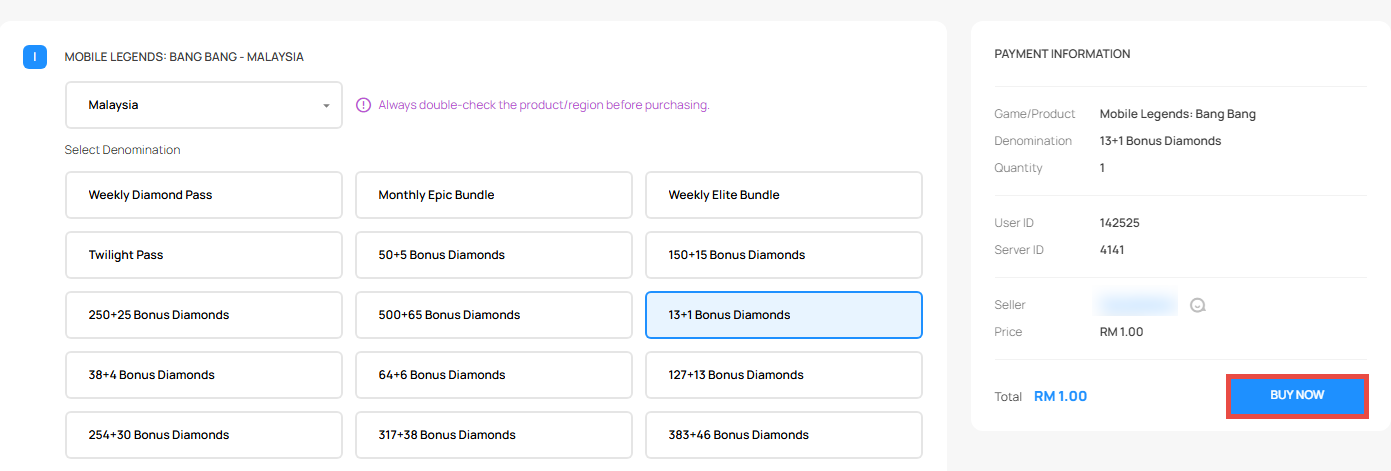
Select your desired product and click BUY NOW.
-
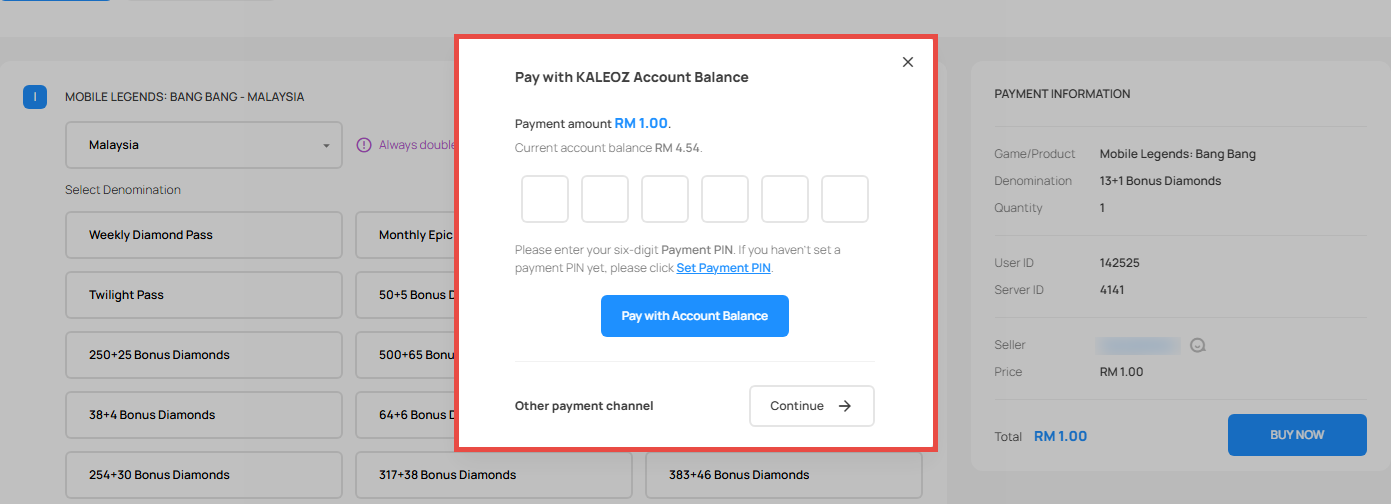
If your Account Balance is sufficient, the Account Balance payment window will appear automatically.
-
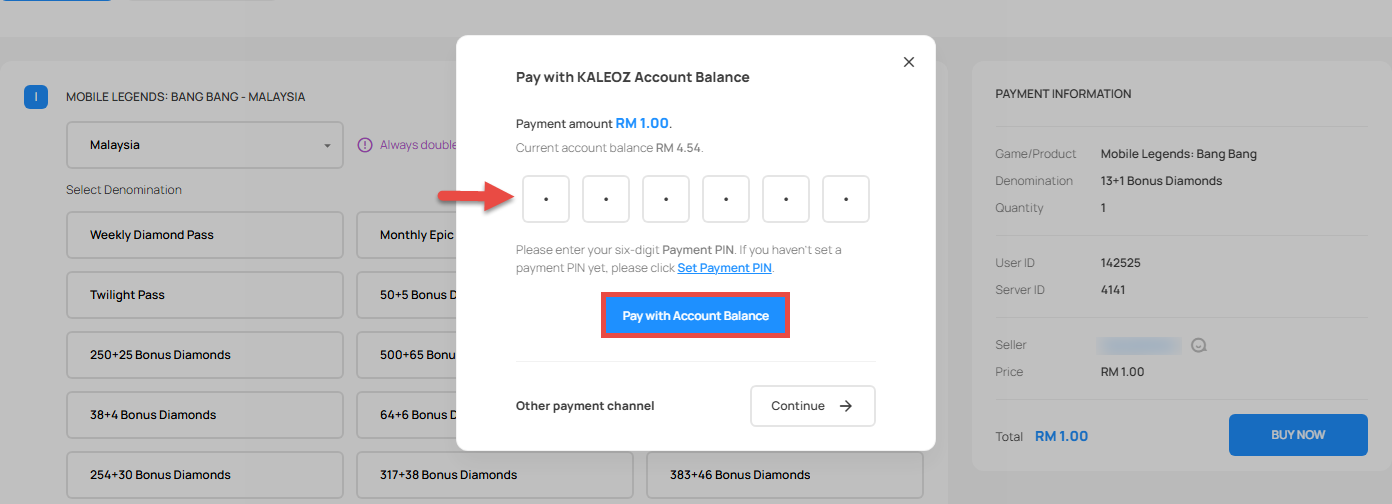
Enter your six-digit Payment PIN, then click Pay with Account Balance to confirm your payment.
B) Insufficient Balance – Account Balance + Other Payment Methods
-
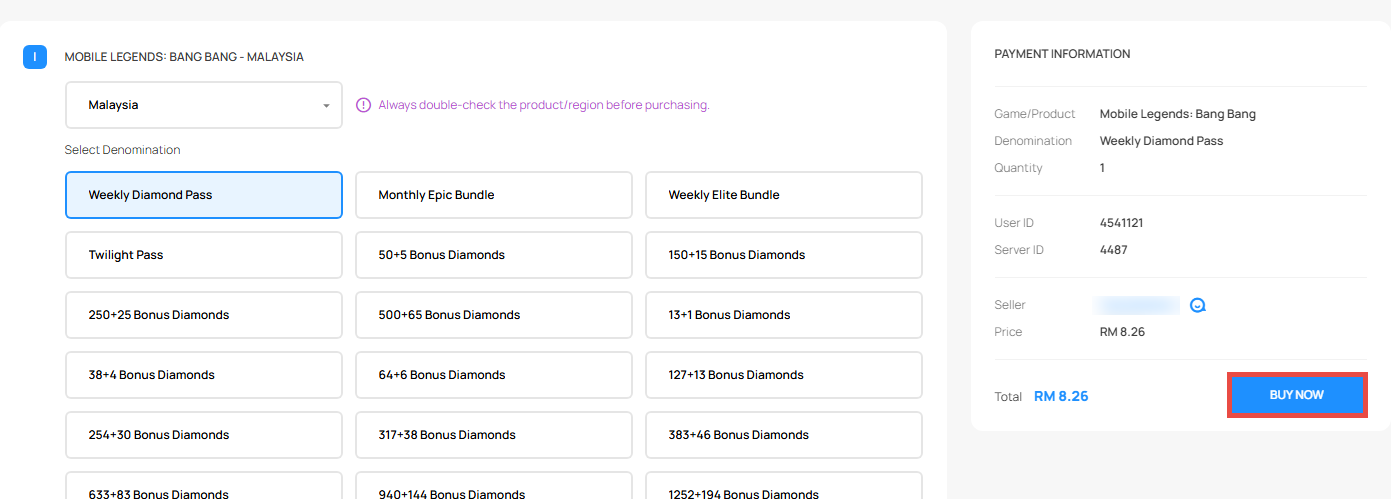
Select your desired product and click Buy Now.
-
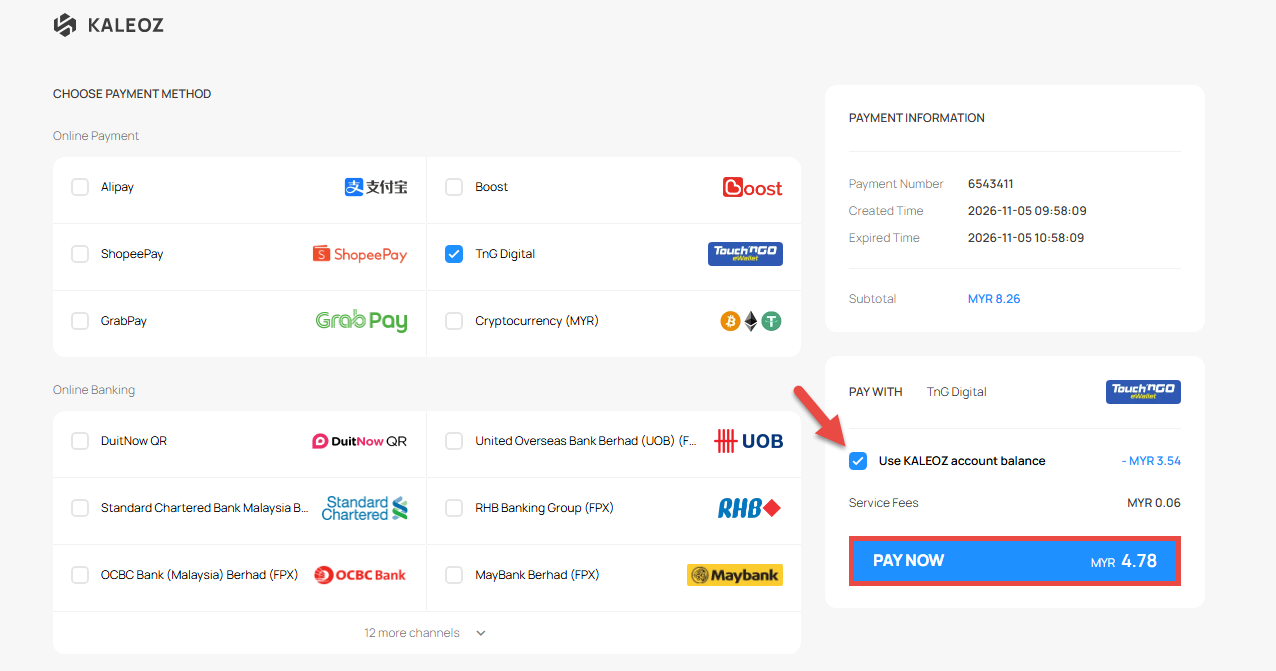
Select your preferred payment method, tick the Use KALEOZ account balance checkbox, then click PAY NOW.
-
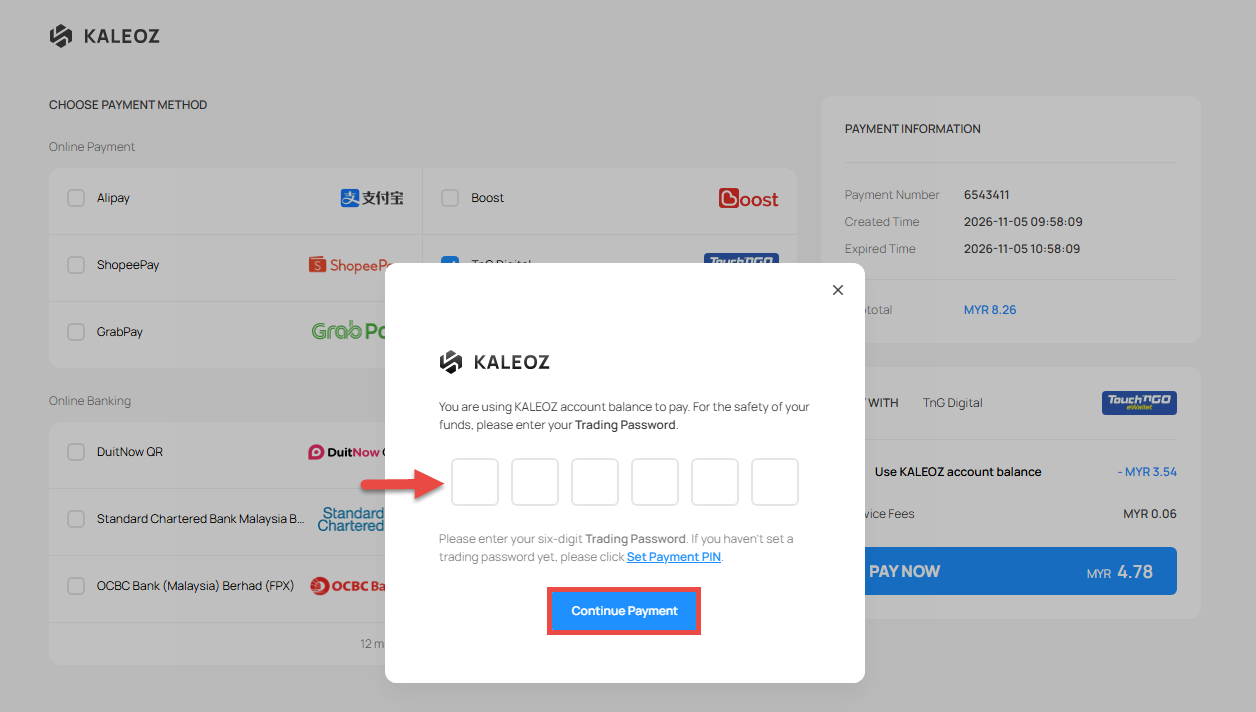
Enter your six-digit Payment PIN, then click Continue Payment.
-
You will be redirected to the payment page of your selected payment method. Follow the on-screen instructions to complete your payment. Once your payment is completed, please wait for the payment gateway to automatically redirect you back to KALEOZ to finalize your order.