I) Checking KALEOZ Balance
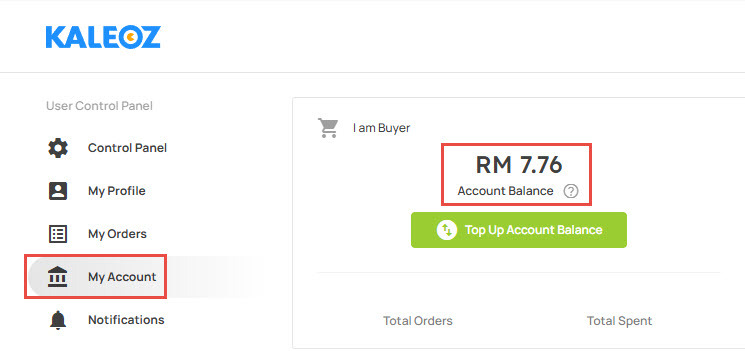
Login to your KALEOZ account and then go to "My Account". The KALEOZ balance will be shown under the "I am Buyer" category.
II) Pay using KALEOZ Balance
Step 1: Choose your products in KALEOZ and then click "Pay Now" from your shopping cart to be directed to the next page.
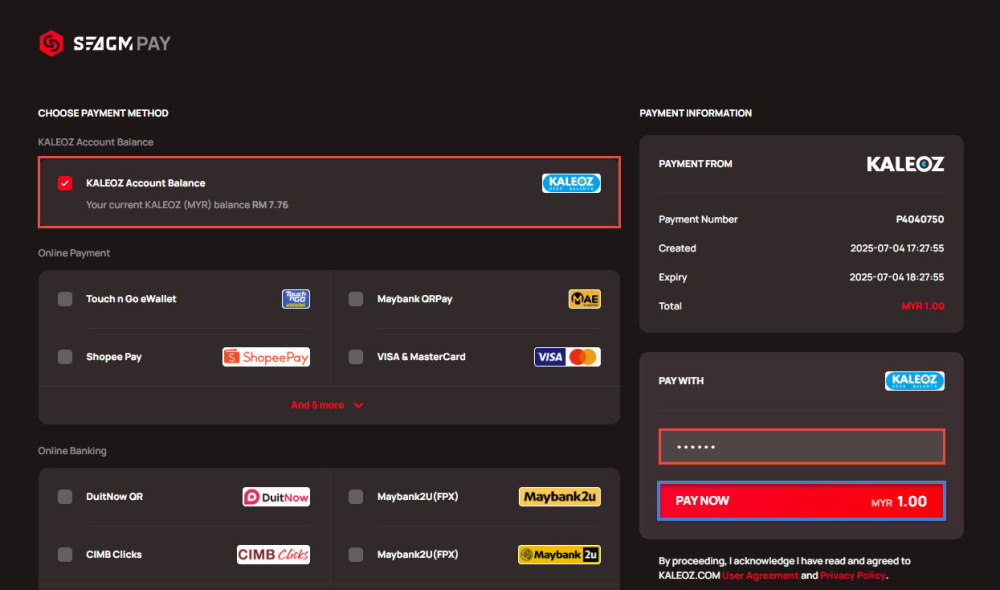
Step 2: Select “Pay with KALEOZ Account Balance,” and enter your six-digit numeric Payment PIN to complete the payment.
Note: If you forgot your Payment PIN, you may refer to this guide to reset your Payment PIN. If you're still unable to reset your password, kindly contact our KALEOZ Support via Kchat for further assistance.