The KALEOZ Account Balance is a virtual currency that you can use to purchase game reload services, gift cards, and in-game virtual goods on KALEOZ. You can top up your KALEOZ balance using the payment methods available on our platform by following the steps below.
I) What are the steps to top up my KALEOZ balance?
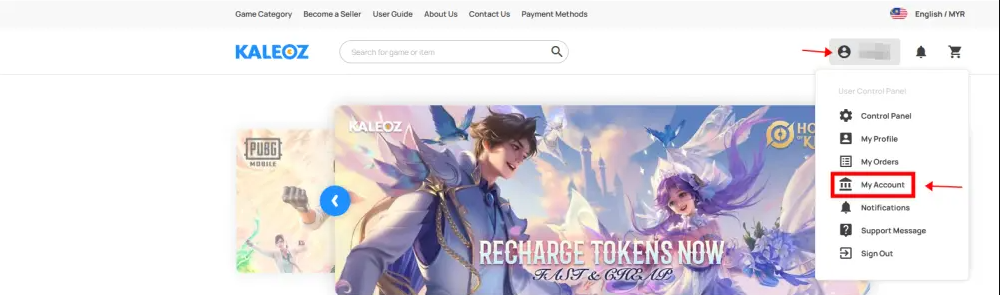
Step 1: Log in to your account, click on your username, and then select 'My Account'.
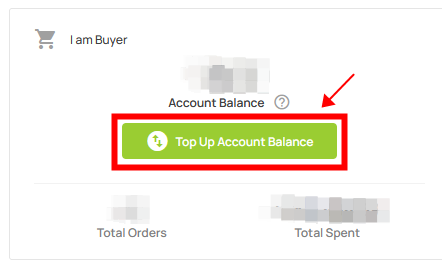
Step 2: Click on 'Top Up Account Balance,' or use this link to go directly to the page.
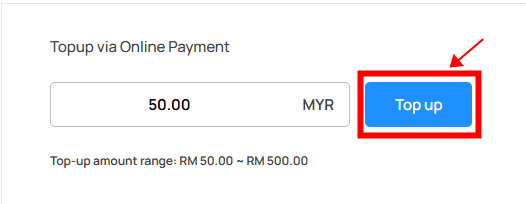
Step 3: Enter the amount and click 'Top up'.
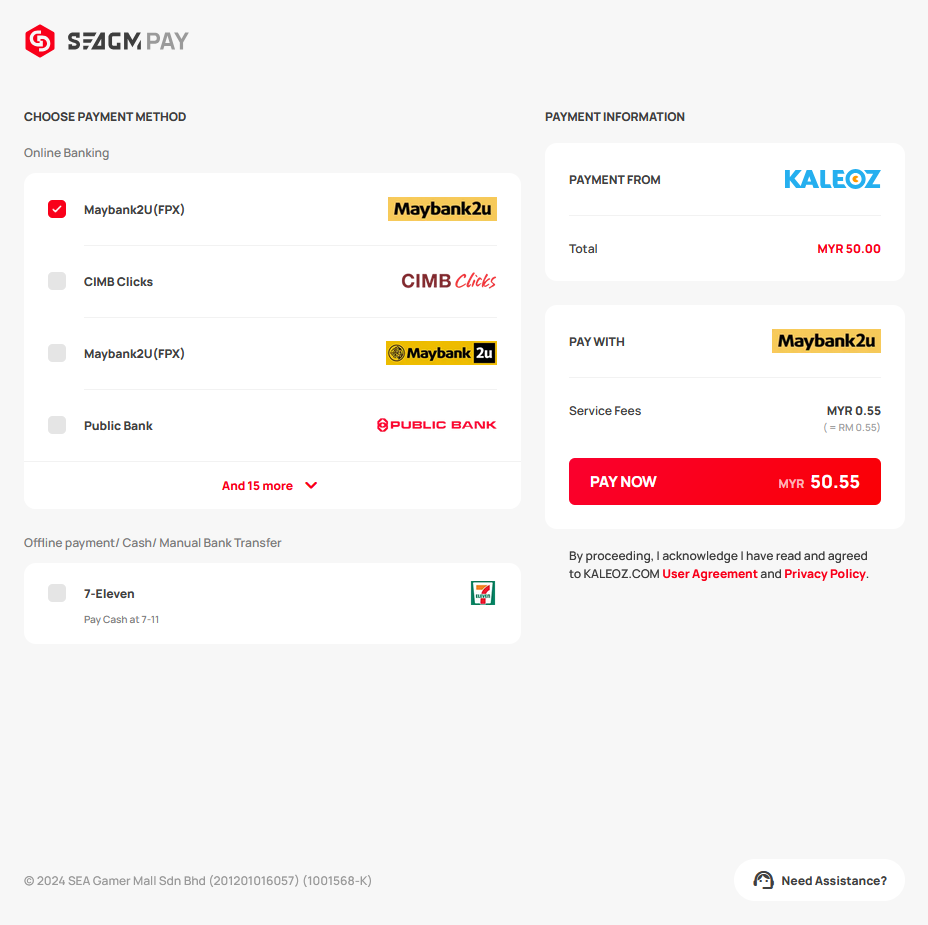
Step 4: Choose your preferred payment method and complete the payment accordingly.
Step 5: Once the payment is complete, you're able to pay your order by selecting "KALEOZ Account Balance".
Note: You can check and pay using your KALEOZ balance by referring to this guide here.
II) Why am I unable to top up my KALEOZ balance?
Due to the laws and regulations of individual countries, buyers using certain currencies may be unable to top up their KALEOZ balance because of restrictions imposed by their country. However, they will still be able to place orders and complete checkout using other available payment methods as usual.