KALEOZ provides KChat, a built-in messaging feature that allows sellers to communicate directly with buyers, respond to enquiries, and manage conversations efficiently.
This guide covers how to contact buyers, set up automatic replies, and use Quick Replies to make communication easier.
1. How Do I Contact a Buyer?
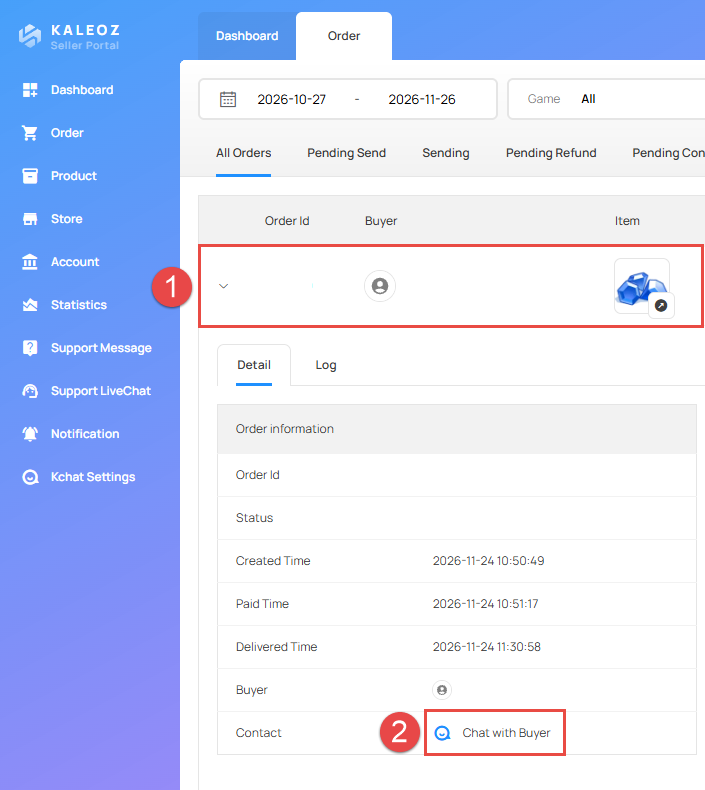
Sellers can communicate directly with buyers through KChat by following these steps:
Step 1: Log in to your KALEOZ Seller Portal.
Step 2: Go to the Order page and click on the relevant order to expand its details.
Step 3: Click the chat box icon below the buyer's name to open the chat window. You can then send and receive messages directly with the buyer.
2. What Is Auto-Reply and How Do I Set It Up?
Auto-Reply is a feature that automatically sends a predefined greeting message when a buyer initiates a conversation via KChat. It helps ensure buyers receive a timely response, even when you are unavailable to reply.
How Does Auto-Reply Work?
The auto-reply behaviour depends on whether you have an Assistant account:
If you do not have an Assistant account: Auto-reply will be sent immediately when a buyer initiates a chat while you are offline.
If you have an Assistant account: Auto-reply will only be sent when none of your Assistant accounts are online. If at least one Assistant account is online, auto-reply will not be triggered.
How to Set Up Auto-Reply
Follow these steps to enable and customise your auto-reply message:
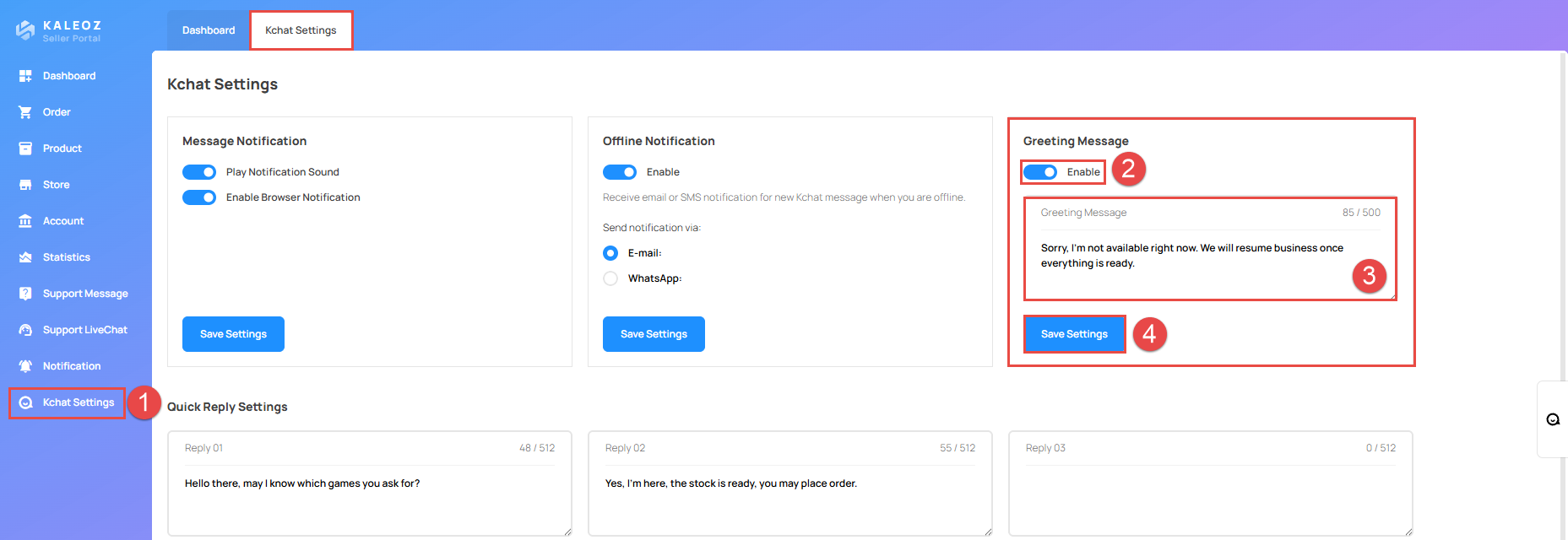
Step 1: Log in to your KALEOZ Seller Portal.
Step 2: Go to the KChat Settings page.
Step 3: Under the Greeting Message section, tick the checkbox next to Enable.
Step 4: Enter your customised greeting message (up to 500 characters).
Step 5: Click Save Settings to apply your changes.
3. How Do I Set Up and Use Quick Replies in KChat?
Quick Replies allow sellers to save frequently used messages and send them quickly during conversations with buyers. This helps reduce repetitive typing, saves time, and makes communication more efficient.
For detailed instructions, please refer to the following guide: