The Product Promo Feature allows sellers to highlight products that are currently on sale or promotion. This helps make products more noticeable to buyers and can attract more potential customers.
Buyers can also use the Promo filter to view only products that are currently promoted on KALEOZ.
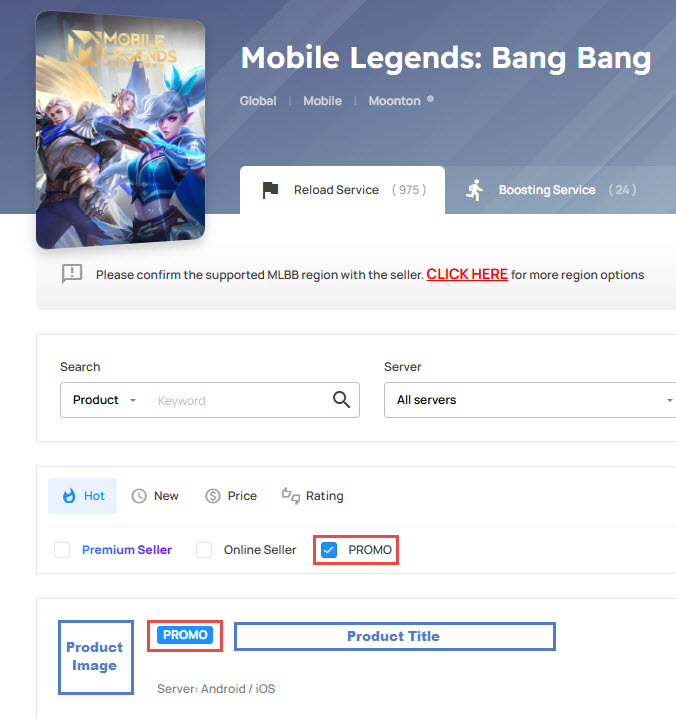
Feature Highlights
- Sellers can enable or remove the Promo status on their products at any time.
- Sellers can promote up to 2 products per product category for each game.
- If a promoted product is removed, its Promo status will also be removed automatically.
- Buyers can use the Promo filter on the game product page to browse promoted products only.
Example
For example, Lost Ark has three product categories:
- Gold
- Items
- Accounts
A seller can promote:
- Up to 2 products in the Gold category
- Up to 2 products in the Items category
- Up to 2 products in the Accounts category
How to Enable the Product Promo Feature
Step 1: Go to My Product
Log in to your KALEOZ account and go to My Product.
Step 2: Promote a Product
Select the product you want to promote and click Promote.
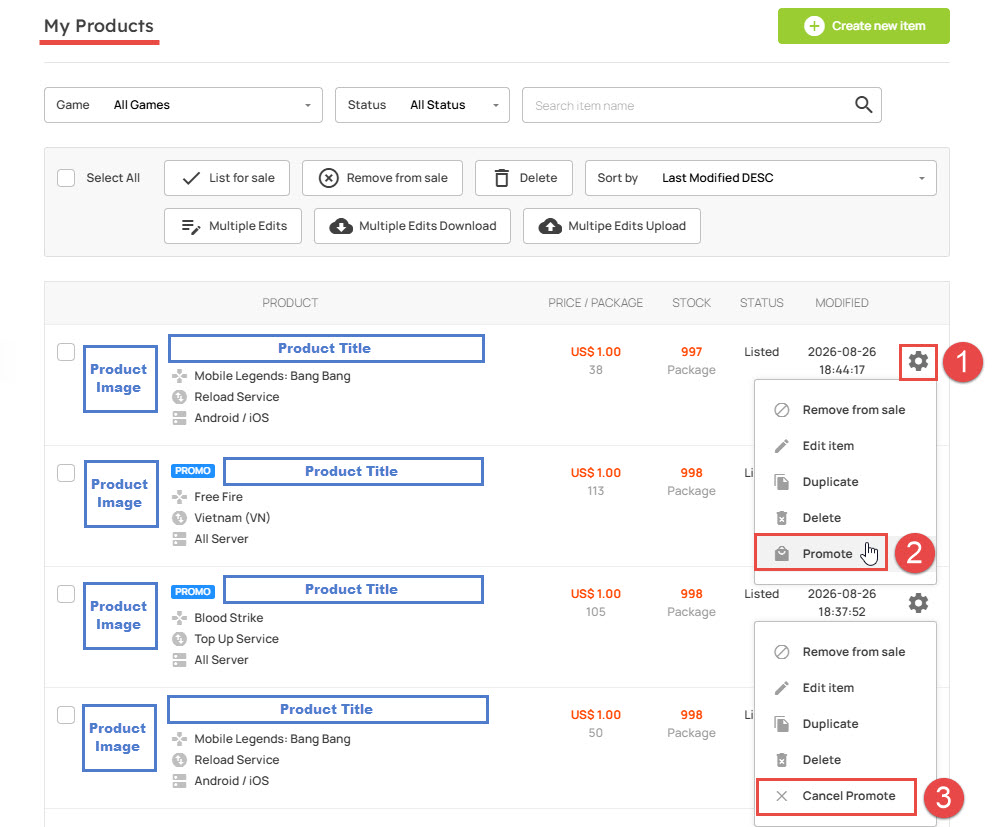
Step 3: Cancel Promotion
If you no longer want to promote a product, select Cancel Promote to remove its Promo status.
Step 4: Check the Promo Badge
Once successfully promoted, the product will display a "PROMO" logo when it appears in product listings.
Is There an Extra Fee for Promo Products?
No. KALEOZ does not charge any additional fee for using the Product Promo Feature.
The Product Promo Feature is a free tool that helps make your products more eye-catching and visible to buyers. Make good use of this feature to highlight your promotional products and attract more potential buyers.