The Seller Assistant feature allows sellers to recruit an assistant
to help manage sales orders, products, and buyer communication through KChat.
How to Recruit a Seller Assistant on KALEOZ
To recruit a seller assistant, please follow the steps below.
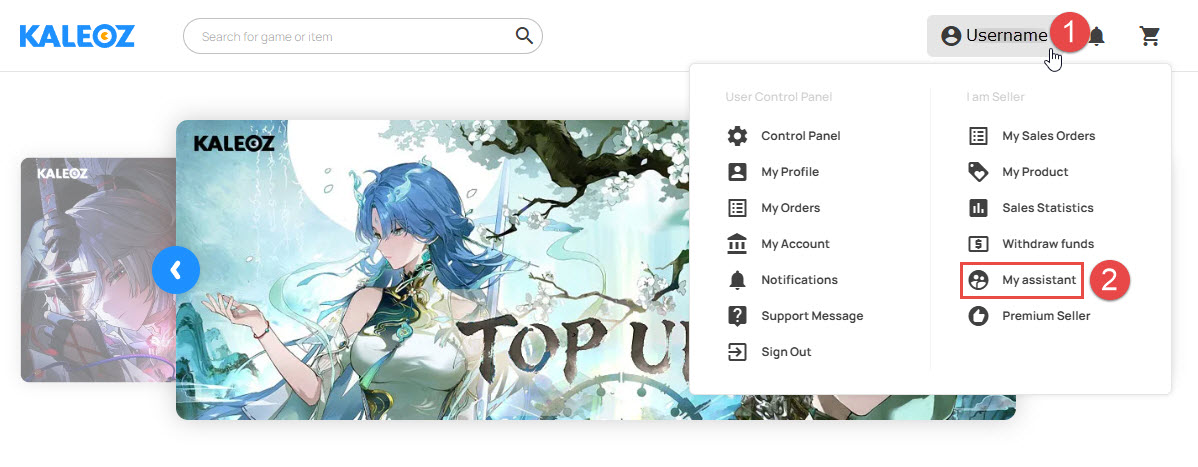
Step 1: Open My Assistant
Click on your username and select My Assistant from the drop-down menu.
Step 2: Send the Invitation
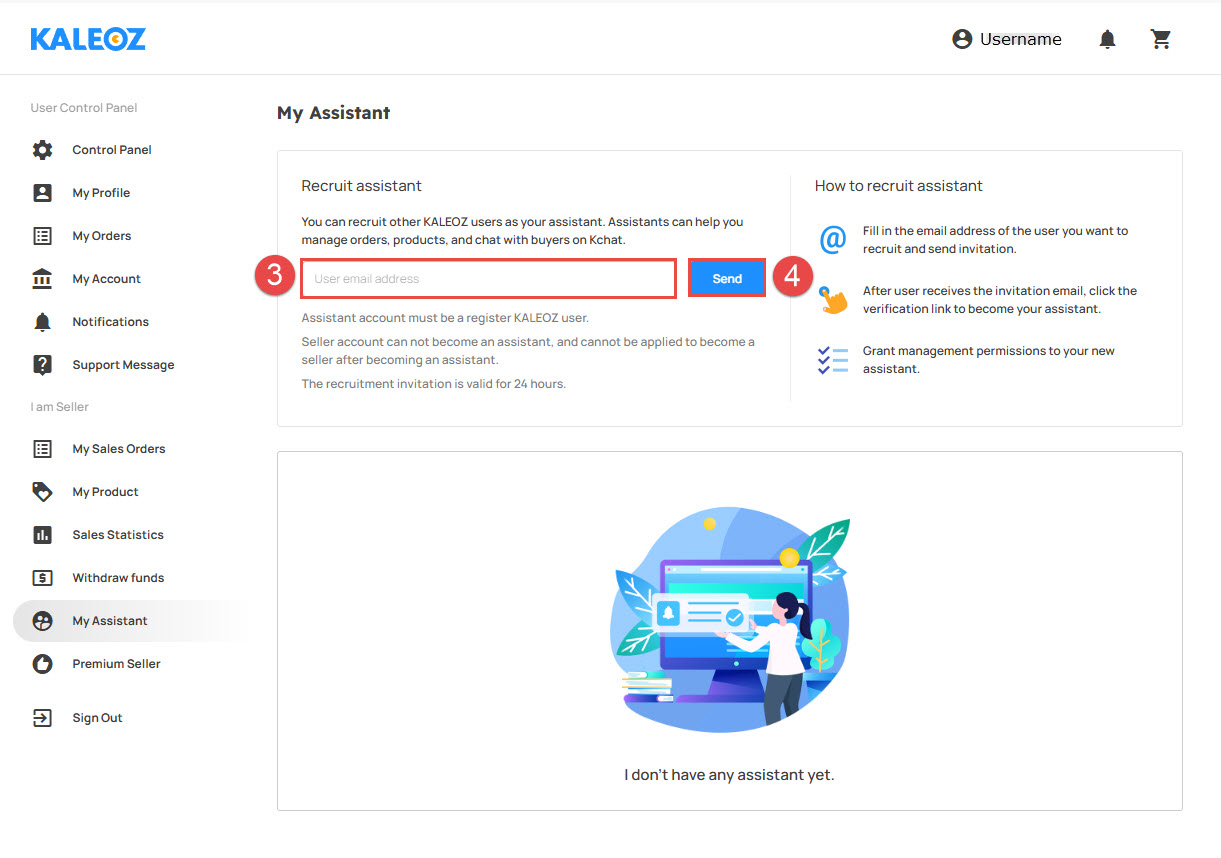
Enter the email address of the person you wish to recruit in the User email address field, then click Send.
Important Note:
The invited user must have a registered KALEOZ account.
Step 3: Accept the Invitation
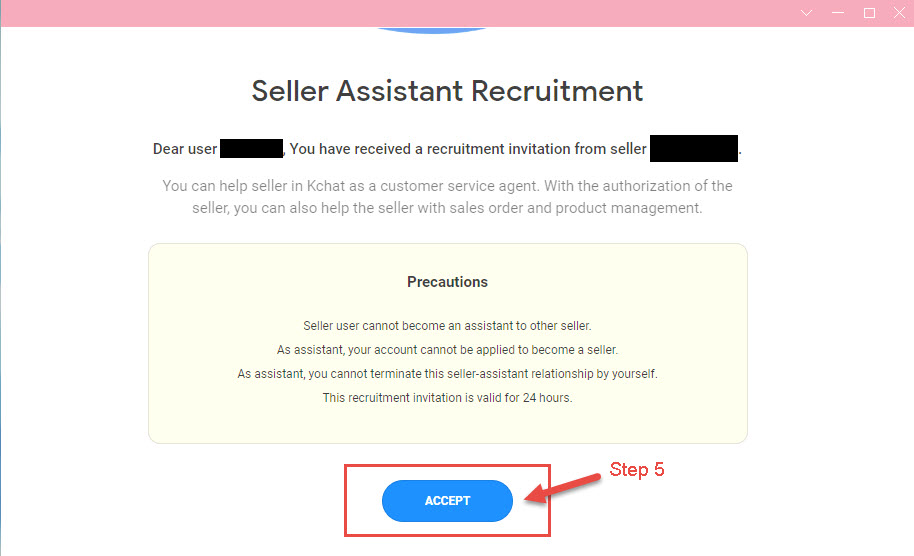
Once the invitation email has been sent, the invited user will receive the seller assistant invitation. The user must click Accept to become your seller assistant.
Important Note:
The seller assistant invitation is valid for 24 hours only.
What Can and Cannot a Seller Assistant Do?
What the Seller Assistant Can Do
- Manage sales orders: Process and deliver orders, and refund orders that cannot be processed.
- Manage products: Update product stock, selling price, item or delivery descriptions, product images, and other product information.
- Communicate with buyers: Chat with buyers through KChat.
What the Seller Assistant Cannot Do
- The assistant is not eligible to apply as a seller.
- The assistant cannot be a seller assistant for more than one seller.
- The assistant cannot reverse their seller assistant status after accepting the invitation.
- The assistant cannot use the Close Store feature on behalf of the seller.
Summary:
Sellers can recruit a registered KALEOZ user as a seller assistant
to help manage orders, products, and buyer communication through KChat.
The invitation is valid for 24 hours, and the assistant's access
is subject to the limitations listed above.