Purchasing game products on KALEOZ is simple. Follow the steps below to find your desired item, complete your payment, and receive your order.
1. Sign In to Your KALEOZ Account
Sign in to your KALEOZ account to get started.
If you don't have an account yet, register here. You can also refer to our guide below for step-by-step registration instructions:
2. Choose Your Game
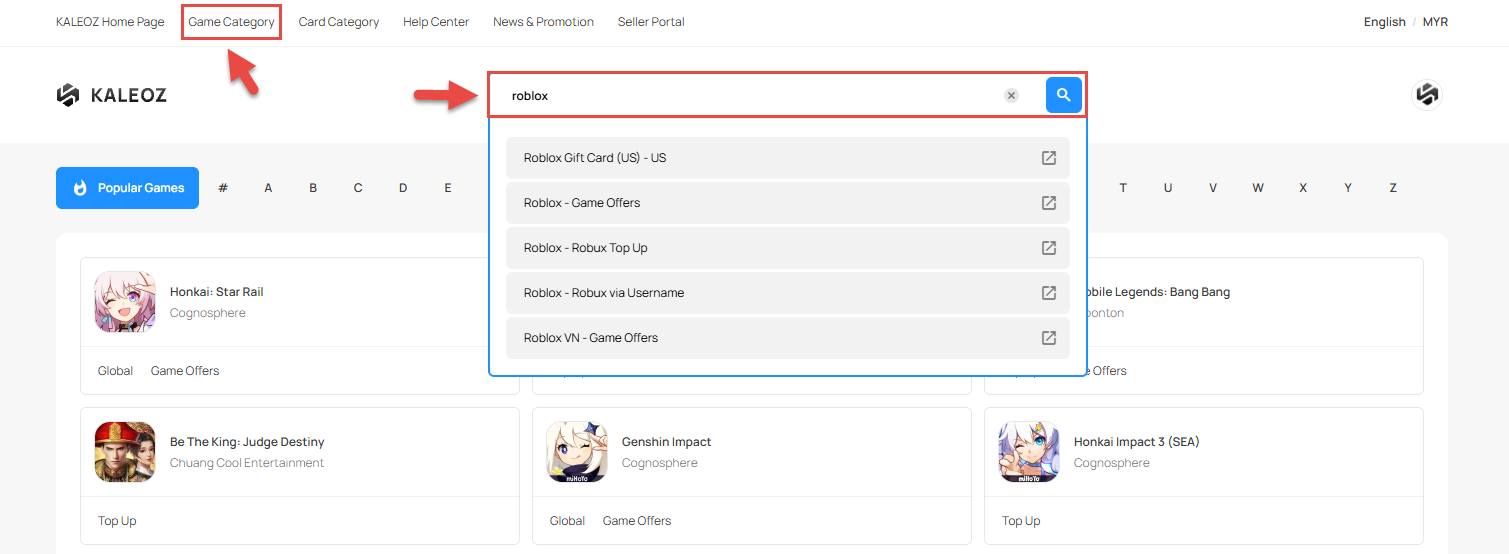
From the KALEOZ homepage, you can find your desired game in either of the following ways:
- Use the search bar to search for your game.
- Browse the Game Category to find the relevant game.
Select your desired game, then choose the product category to browse the available listings.
3. Choose Your Item
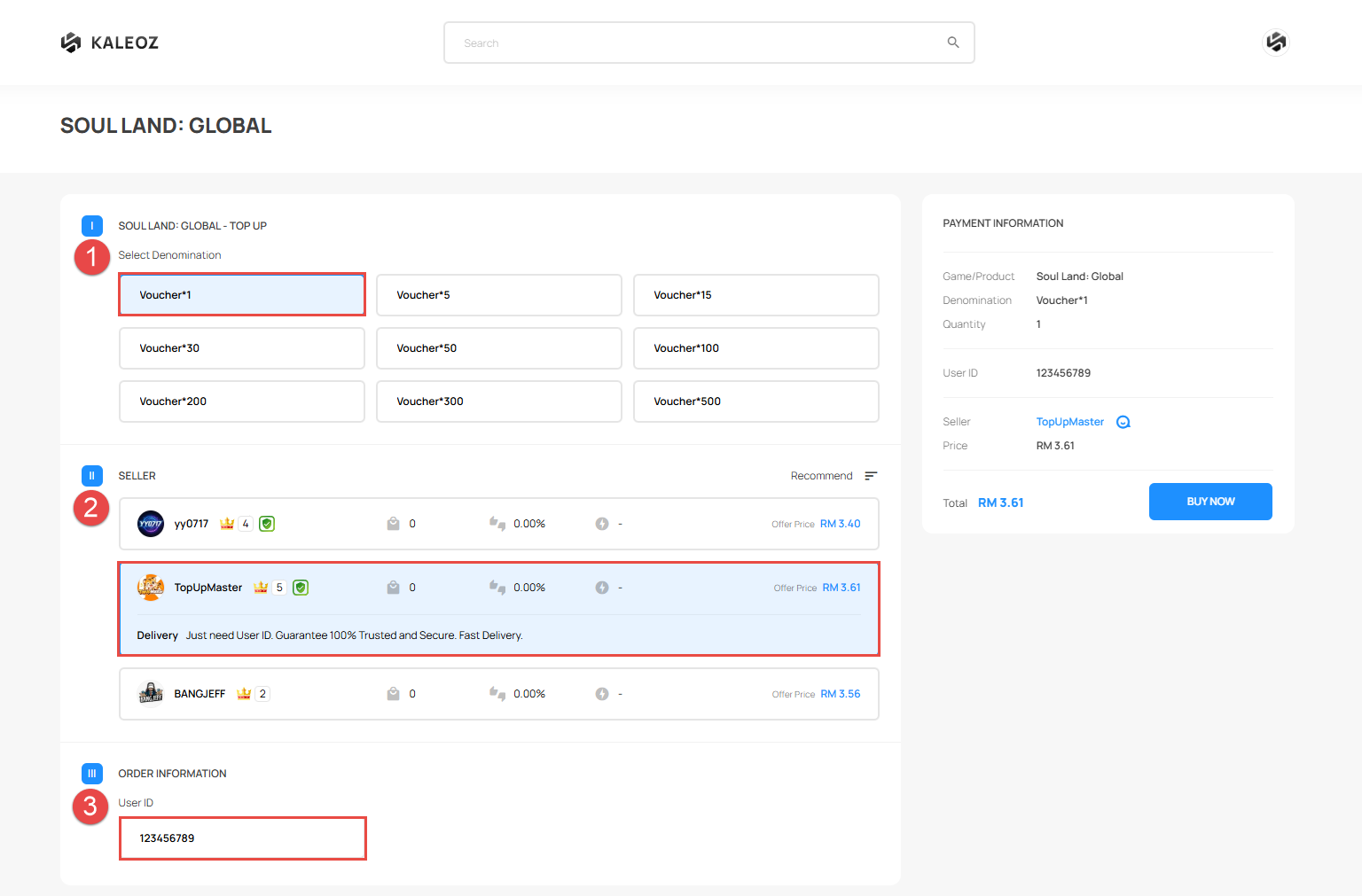
I. Select Your Desired Denomination
Choose the denomination or item quantity you wish to purchase.
II. Choose Your Preferred Seller
Browse the available sellers and select the one that best suits your needs.
III. Enter Your Order Information
Carefully fill in all the required order details, which may include:
- User ID / Game ID
- Server ID (if applicable)
- Server (if applicable)
- Character Name or Account Name (if required)
- Any other information requested by the seller
Before placing your order, make sure all the information you have entered is correct and complete.
Incorrect or incomplete information may result in your order being delivered to the wrong account.
Please note: Orders submitted with incorrect UID information are not eligible for a refund or replacement.
For more details, please refer to our Refund and Replacement Policy for Incorrect UID Submissions.
4. Complete Your Checkout
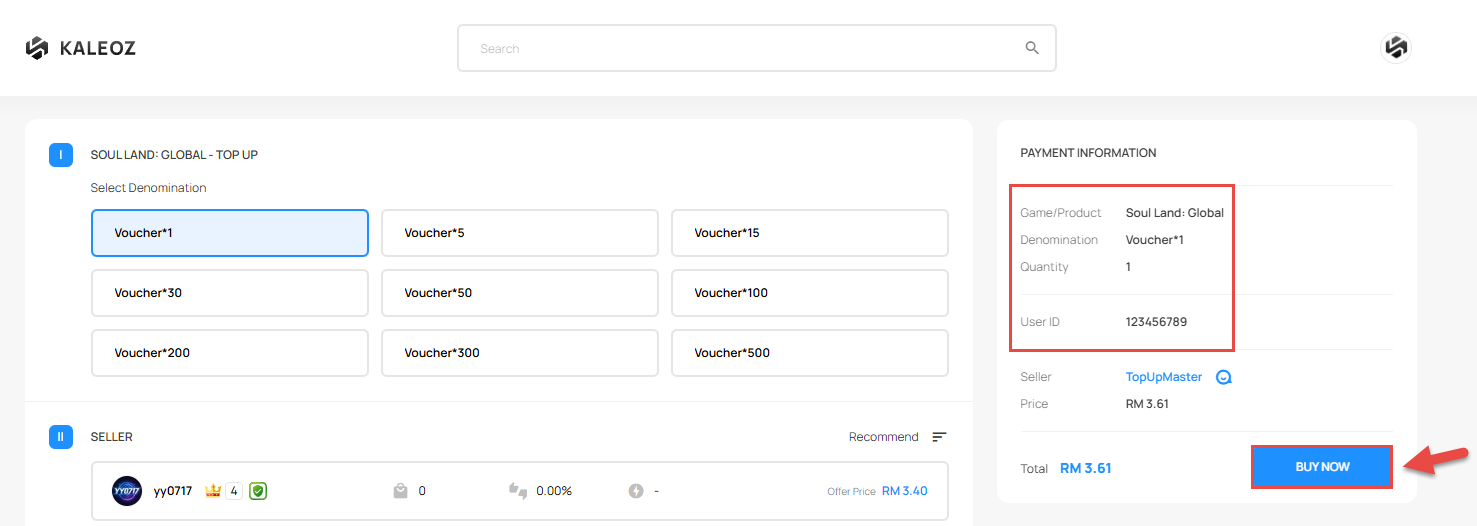
Once you've confirmed your product selection and order information, click "Buy Now" to proceed to the payment page.
Follow the instructions to complete your payment and submit your order.
5. Wait for Your Order Delivery
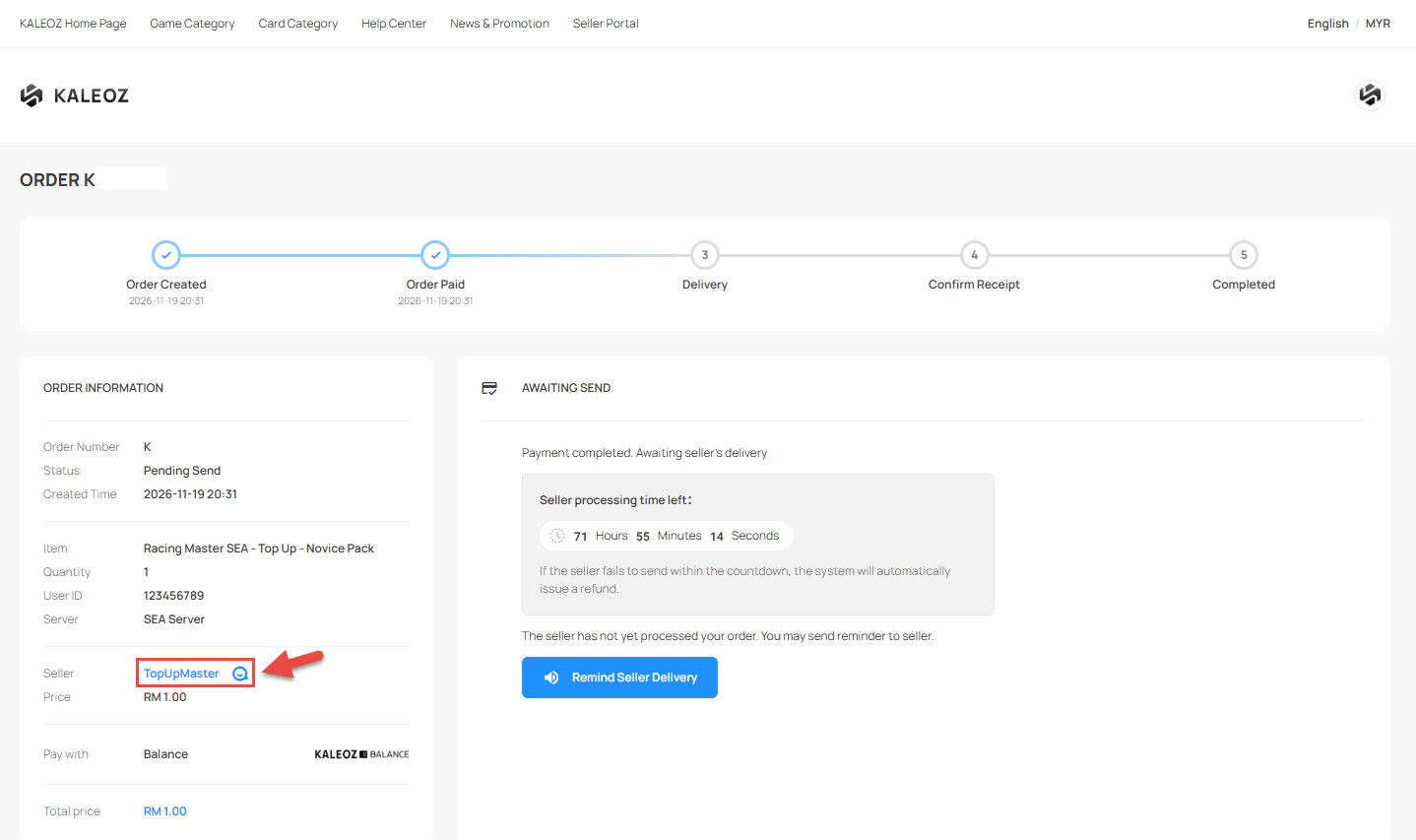
After completing your payment, you can contact the seller through KChat to notify them of your order and communicate regarding the delivery.
Please wait for the seller to fulfil your order. You can also use KChat to follow up with the seller if necessary.
Follow these steps to enjoy a smooth purchasing experience on KALEOZ. If you need any assistance, feel free to contact our support team.