KALEOZ Account Registration
-
Start Registration
Visit the KALEOZ Registration Page, enter your email address, and click [Send Verification Code].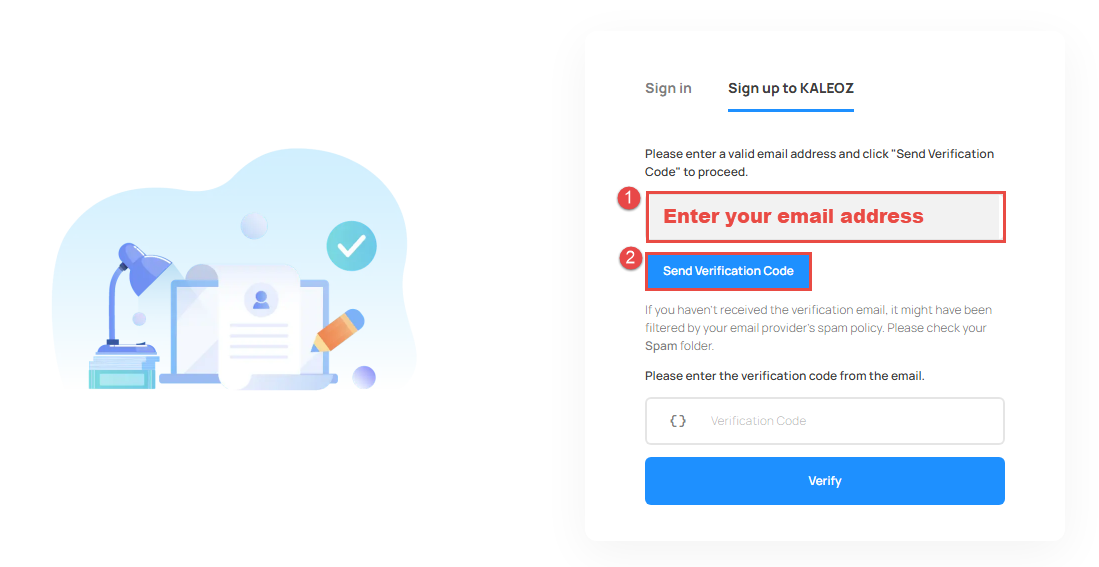
-
Verify Your Email
Check your email inbox or spam folder for the verification code. Enter the code you received and click [Verify] to confirm your email address.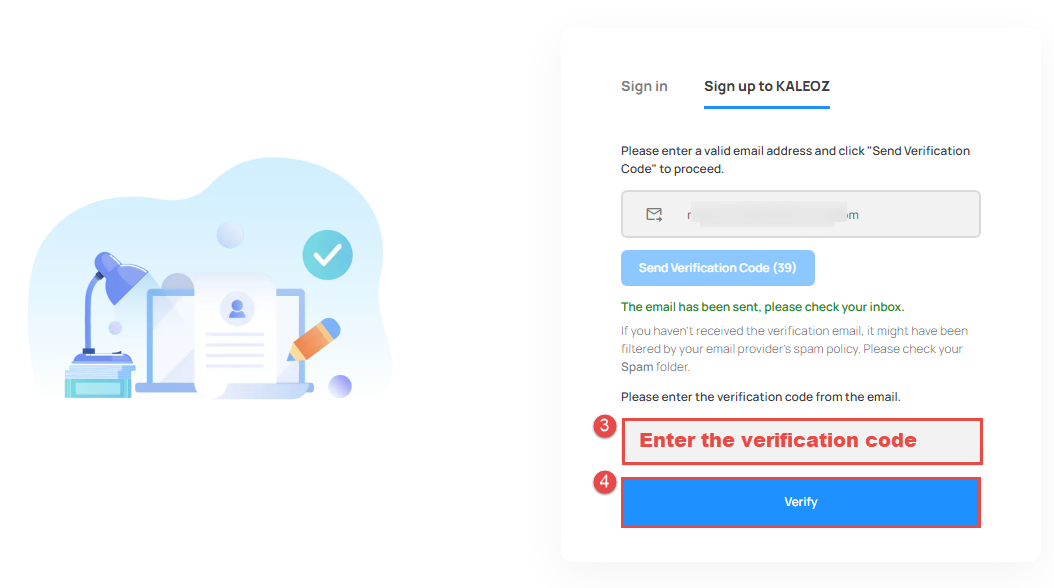
-
Set Account Details
Create your KALEOZ username, set a secure password, and select your trading currency.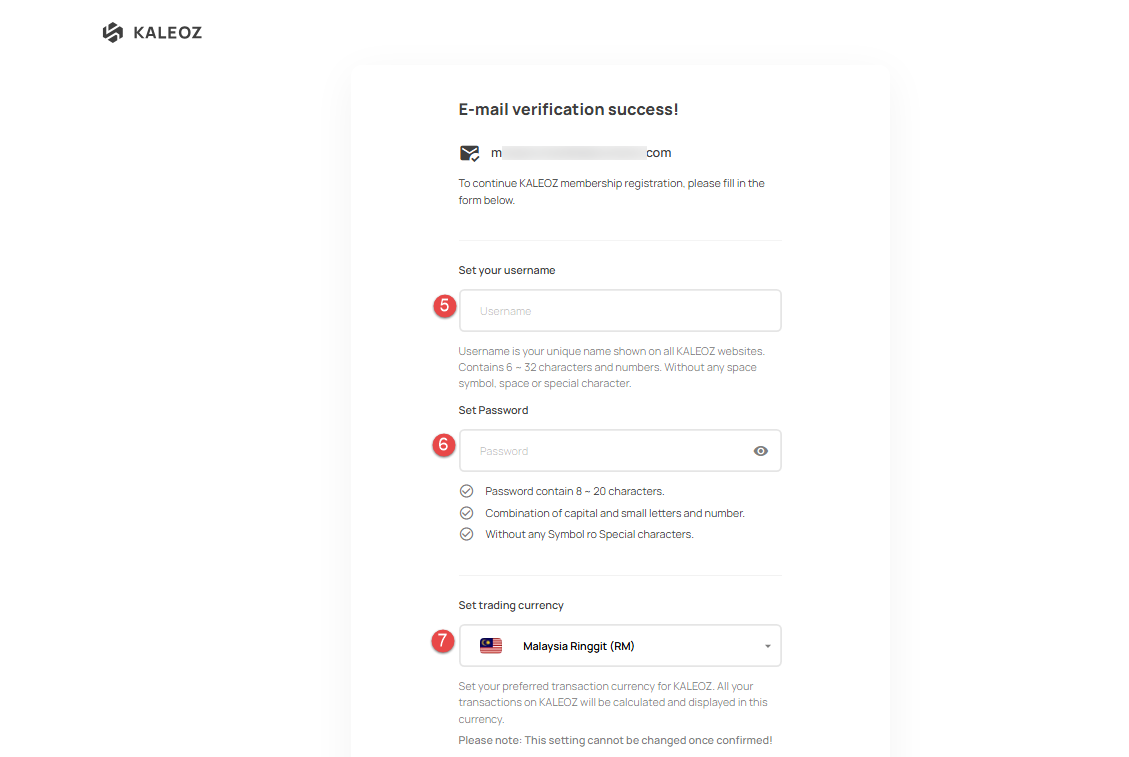
-
Complete Registration
After reviewing the Terms of Use and Privacy Policy, proceed by clicking [Complete Registration] to activate your account.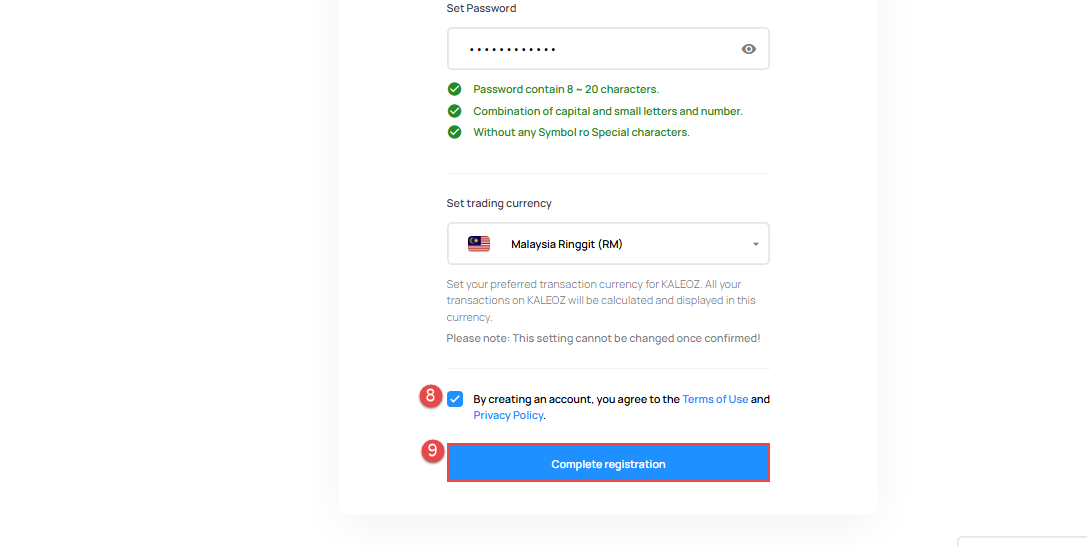
-
Start Using KALEOZ
Your registration is complete — you’re now ready to explore KALEOZ's offerings. Enjoy your KALEOZ journey!
If you have any questions, please contact our Customer Support team.