We understand that sometimes you may need to request a refund for an order you’ve already paid for on KALEOZ. We’re here to assist you and make the refund process as easy and convenient as possible.
You can refer to the guide below to manually submit a refund request. However, manual refund request can only be submitted one hour after payment has been completed.
Steps to Request a Manual Refund
-
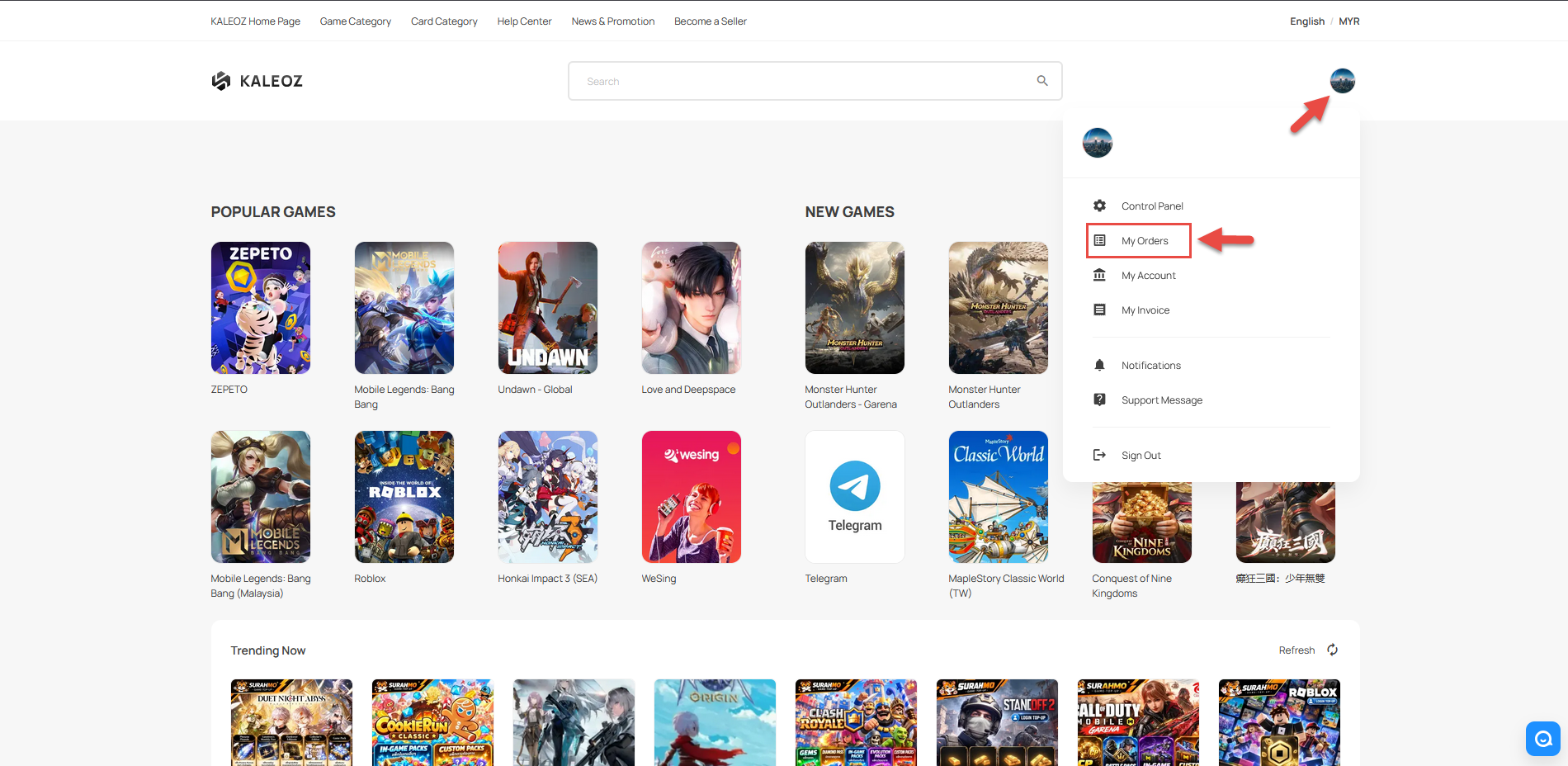
In KALEOZ Main Menu page, click your profile in the top-right corner then select "My Orders".
-
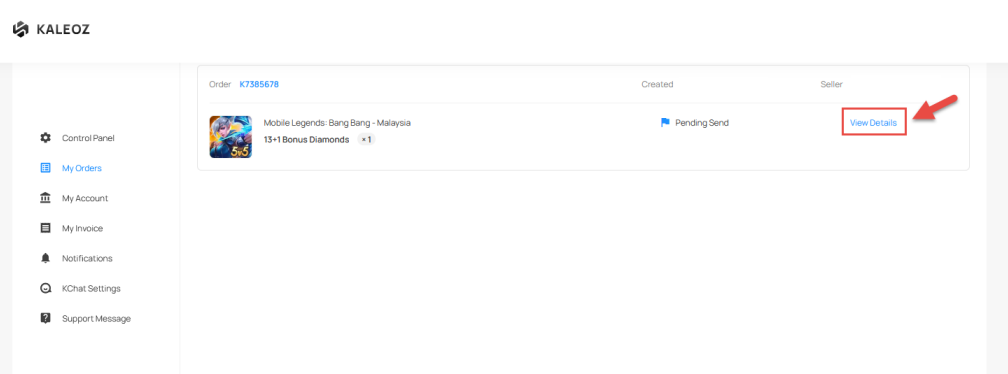
Find the Order ID (KXXXXXX) for the order you would like to request a refund for.
-
Click the "View Details" to open the order details page.
-
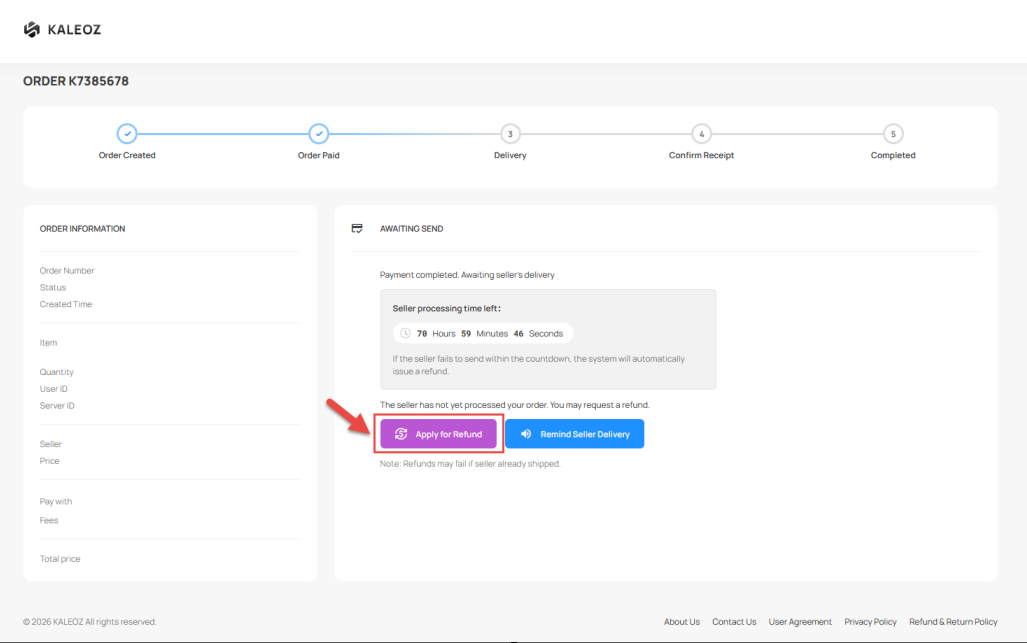
Click the "Apply for Refund" button to submit your refund request.
-
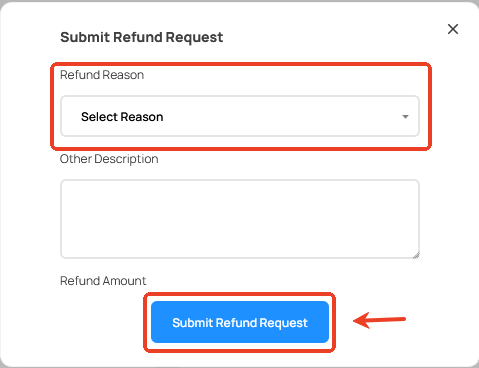
Select and enter your refund reason and then click "Submit Refund Request".
-
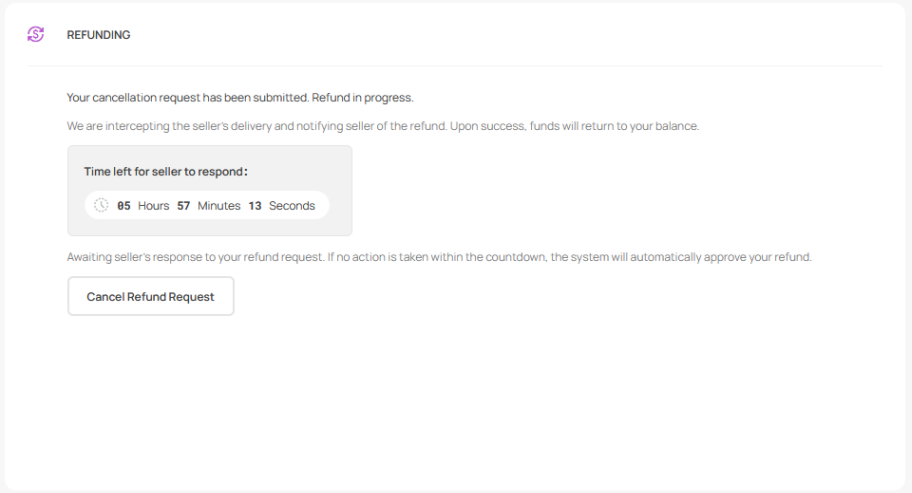
Once your request has been submitted, the seller will be notified and will review your request accordingly.
Refund Processing Time
After the refund request has been applied, please note that the refund will not be processed immediately.
The seller will have up to 6 hours to review your request. The seller can either choose to
- Proceed to deliver the order
- Accept your refund request
If the seller does not respond or fulfil your order within 6 hours, the order will be automatically cancelled and the refunded amount will be credited back to your KALEOZ account balance.
If you have any questions or need assistance, please feel free to contact our friendly KALEOZ Support Team and we’ll be more than happy to assist you!