Once you’ve confirmed your order, you can leave a review for the seller and the order you purchased. Sharing your experience helps other customers make informed purchasing decisions and provides valuable feedback and helping sellers to improve their products and services.
Whether you have suggestions for improvement, your honest feedback helps sellers understand what works well and where they can do better. Every review makes a difference and helps build a better shopping experience for everyone.
Steps To Leave a Review On a Seller
-
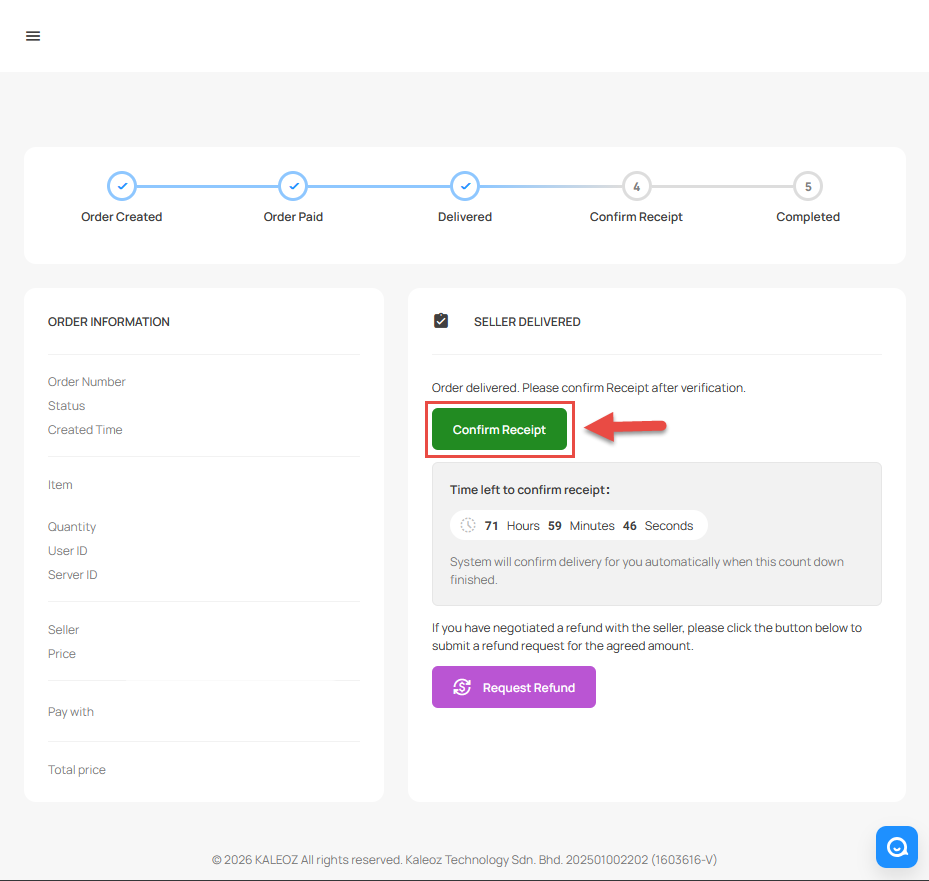
Once the seller has delivered your order, click "Confirm Receipt".
-
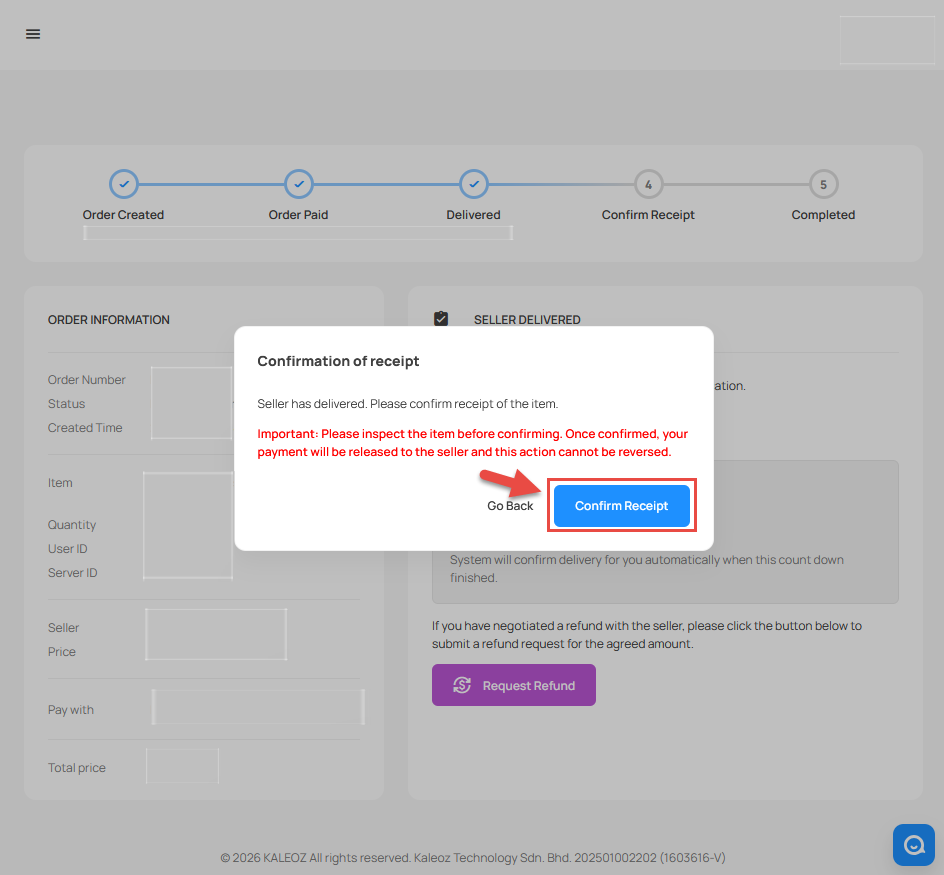
A confirmation message will appear to remind the buyer to inspect your order before confirming receipt. Once you have checked and confirmed the order is received, click "Confirm Receipt" again to fully confirm the order.
-
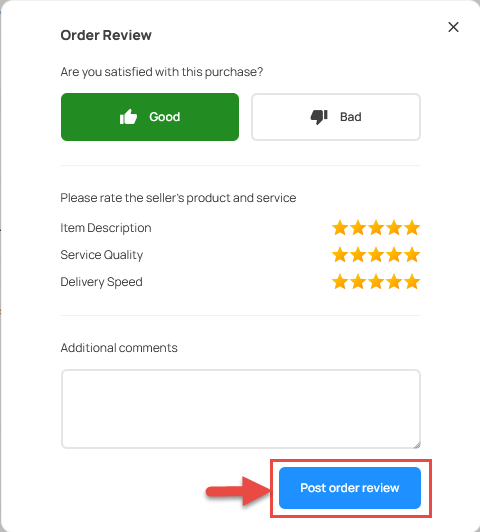
Select and enter the comments and feedback about your order. Once you have completed your reviews, click "Post Order Review" to submit the review.
If you have any questions or need assistance, please feel free to contact our friendly KALEOZ Support Team and we’ll be more than happy to assist you!