Before you can withdraw your earnings from KALEOZ, you must first complete the Withdrawal Verification (Know Your Customer, or KYC) process.
Please follow the steps below to complete your verification.
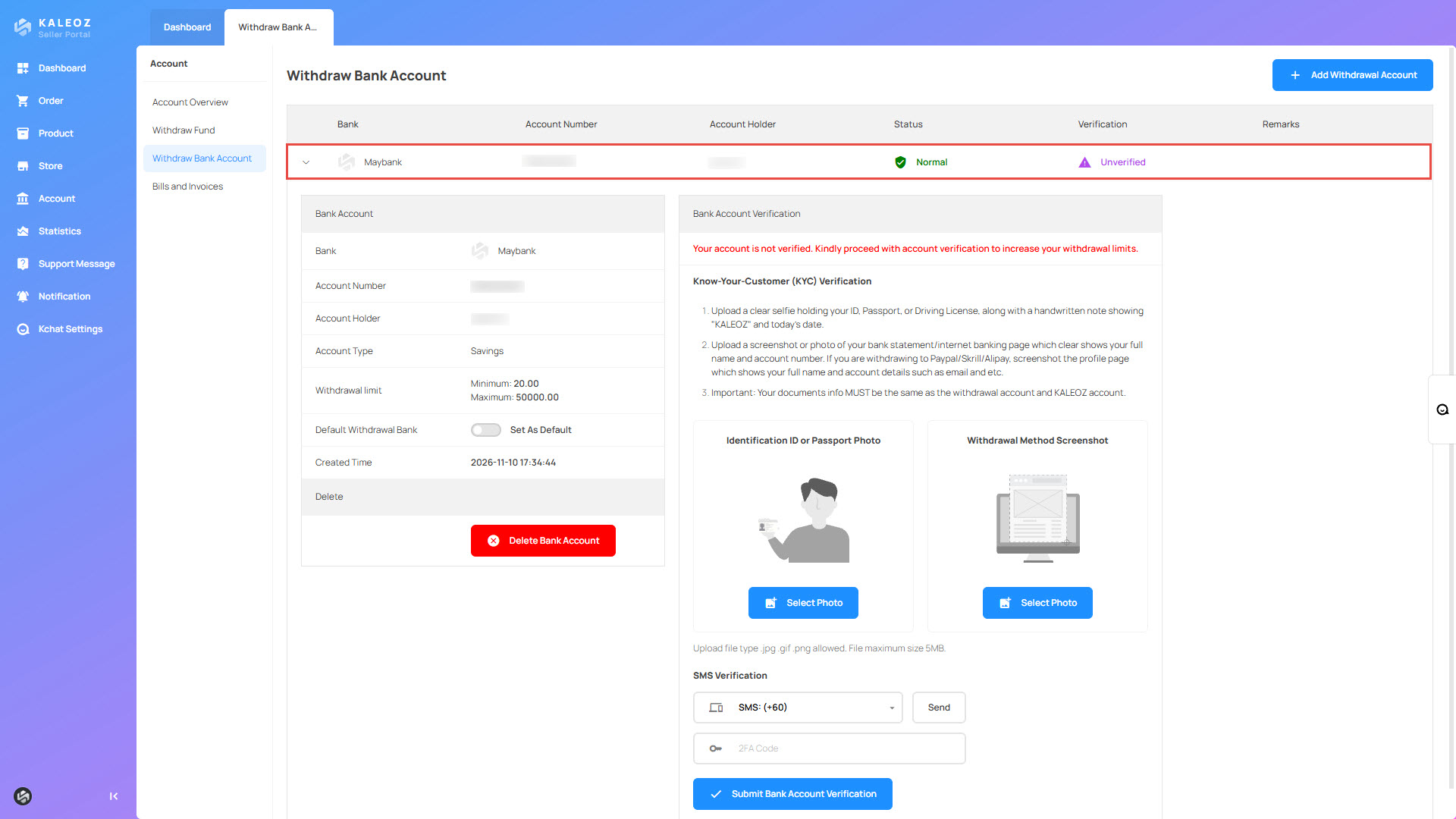
Step 1: Access Withdrawal Verification
- Log in to your KALEOZ Seller Portal.
- Navigate to Withdraw Bank Account.
- Click + Add Withdrawal Account.
- Enter your bank account details and click Save Bank Account.
- Click on the newly added bank account to expand its details and proceed with bank account verification.
Step 2: Upload Your Identity Verification Photo
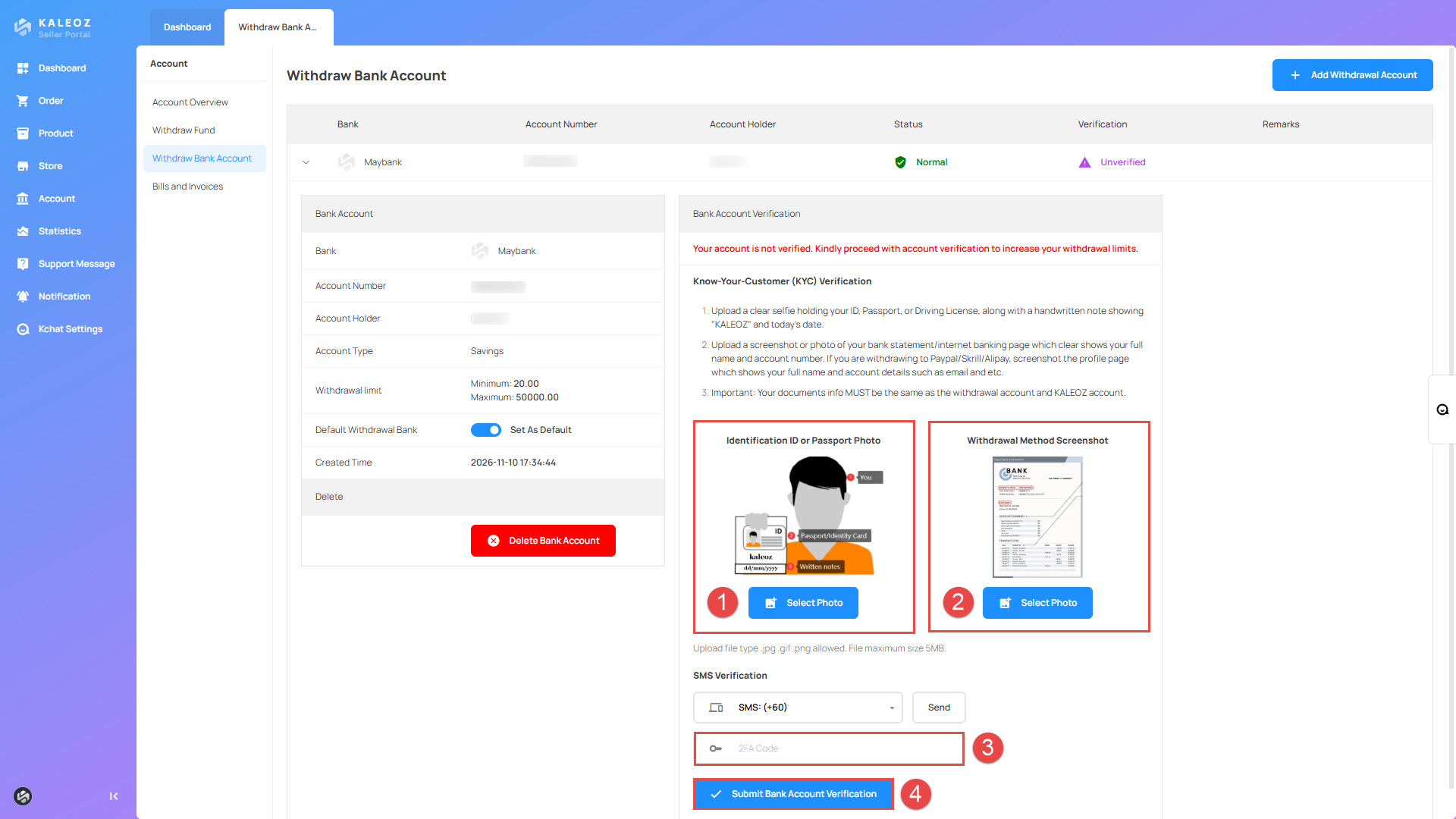
Upload a clear selfie of yourself holding ONE of the following identity documents: your ID Card, Passport, or Driving Licence, together with a handwritten note displaying "KALEOZ" and today's date.

- Only one identity document is required. You may use your ID Card, Passport, or Driving Licence.
- Your selected identity document must clearly display your full name.
- The handwritten note must be held together with your selected identity document in the same selfie. Make sure it clearly displays the word "KALEOZ" and today's date.
Step 3: Upload Your Bank Account Verification Document
Upload a clear screenshot or photo of your bank statement or internet banking page showing the following information:
- Your full name
- Your bank account number

Step 4: Submit Your Verification
Once both documents have been successfully uploaded, complete the phone verification process and click Submit Bank Account Verification to submit your application.
Processing Time
Your withdrawal verification application will be reviewed and processed within 24 hours.
Required Documents Summary
Before submitting your application, make sure you have prepared the following:
- Identity Verification Photo: A clear selfie of yourself holding your ID Card, Passport, or Driving Licence.
- Handwritten Note: A handwritten note displaying "KALEOZ" and today's date, held together with your identification document in the selfie.
- Bank Account Verification: A bank statement or internet banking screenshot clearly showing your full name and bank account number.
Once your withdrawal verification is successfully approved, you can proceed to submit a withdrawal request through your KALEOZ Seller Portal.