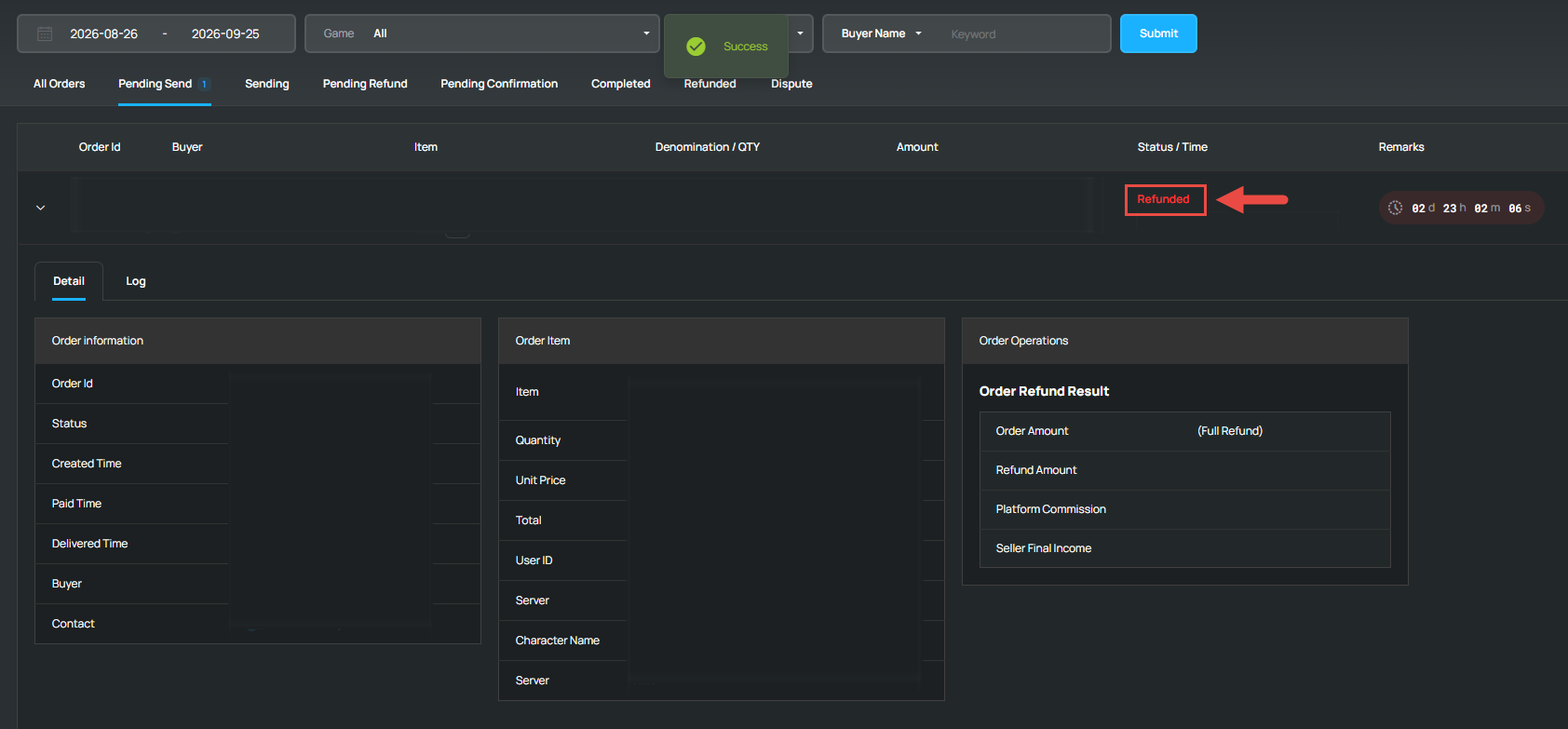
There may be occasions when a buyer requests a refund due to a mistake in their order details or wishes to cancel the order.
You can follow the guide below to manually process the refund back to the buyer
Steps to Manually Refund an Order
-
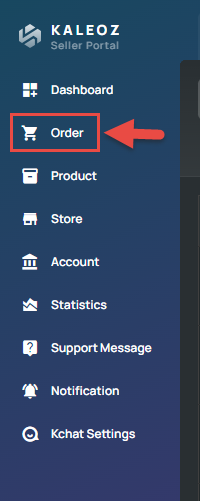
Go to your KALEOZ Seller Portal and click "Order".
-
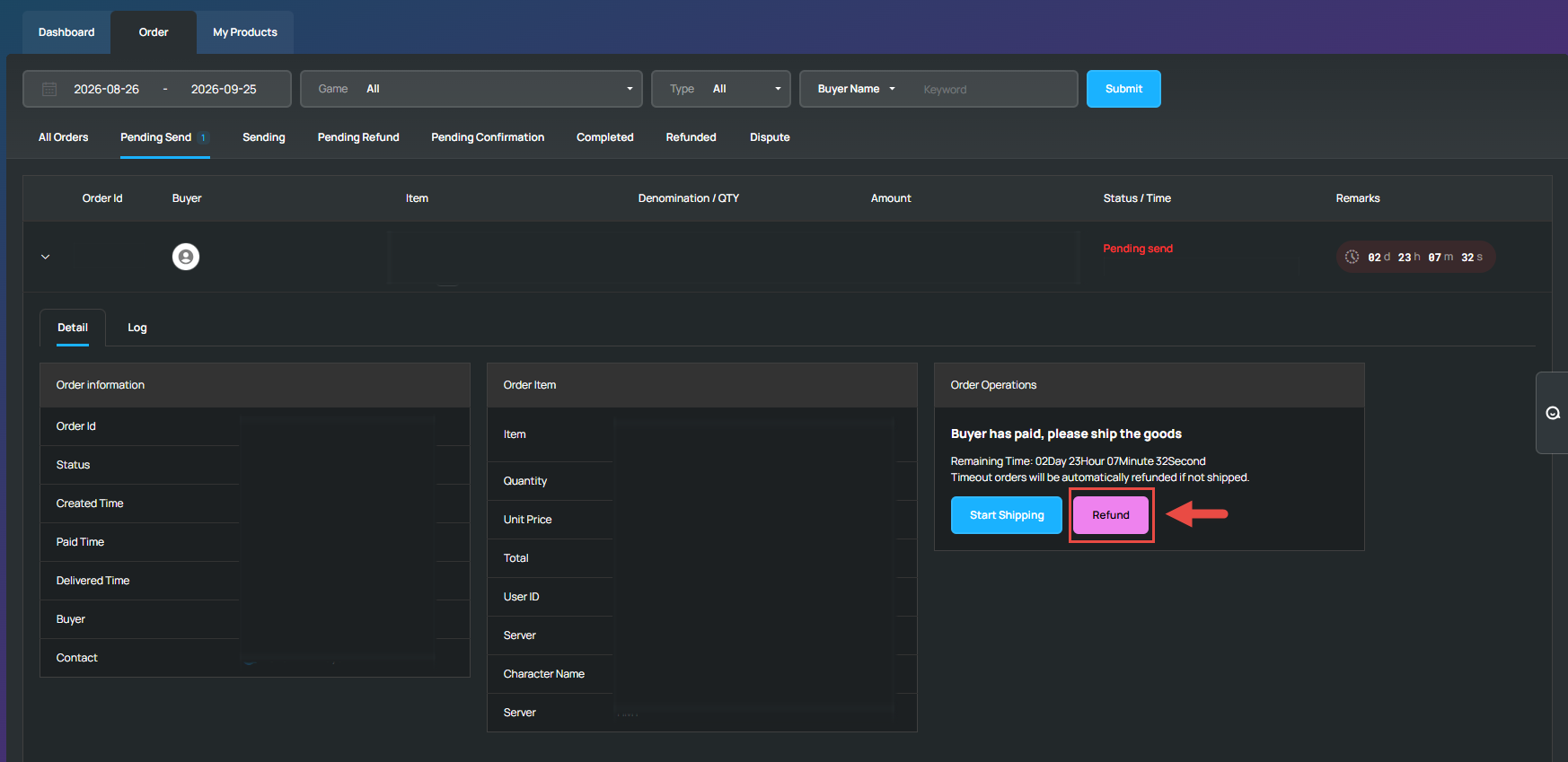
On the "Pending Send" section, find the order you wanted to refund and click "Refund".
-
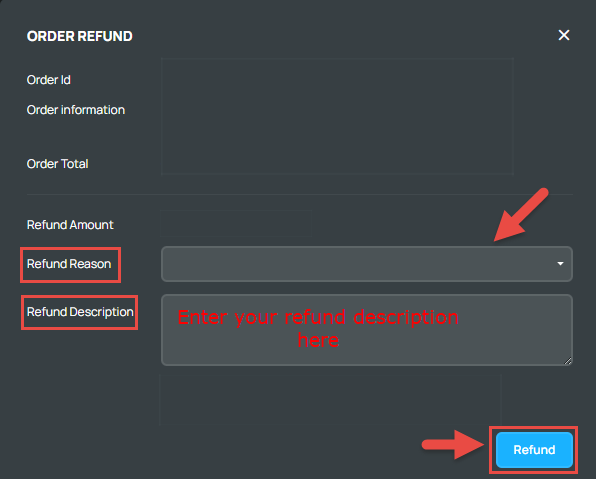
Choose your Refund Reason and enter your Refund Description and then click "Refund" to complete the process.
-
Once the refund process is complete, the refunded amount will be credited back to the buyer’s KALEOZ Balance. You can also inform the buyer via KChat that their order has been successfully refunded.