If you’ve recently changed your email address and need to update your Kaleoz account, the process is quick and straightforward. Just follow the step-by-step instructions below to successfully refresh your contact details and ensure you keep receiving important notifications.
Steps to Follow
-
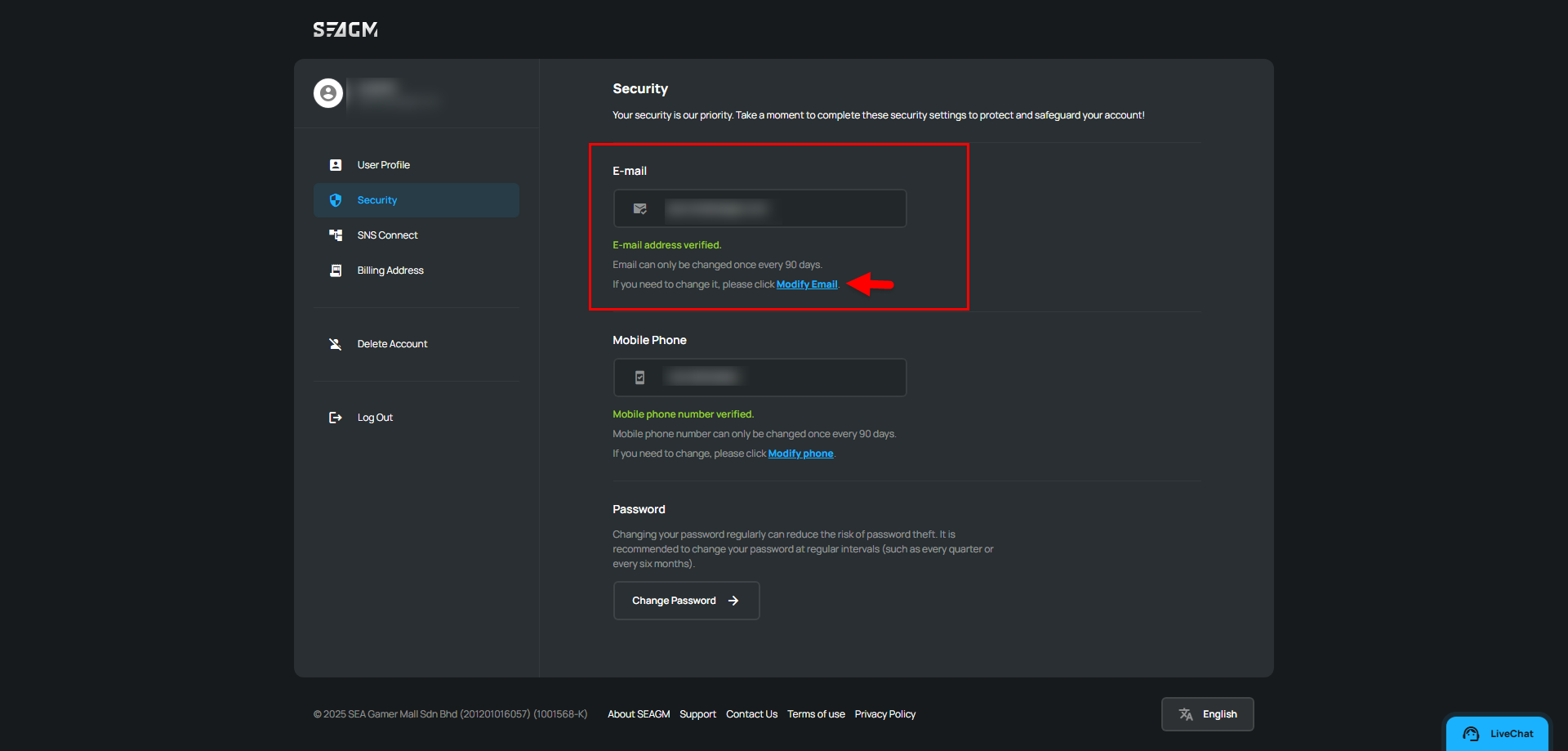
Visit the following link: https://member.seagm.com/ucp/security/info
-
In the Email section, select the [Modify email] option to begin updating your contact information.
-
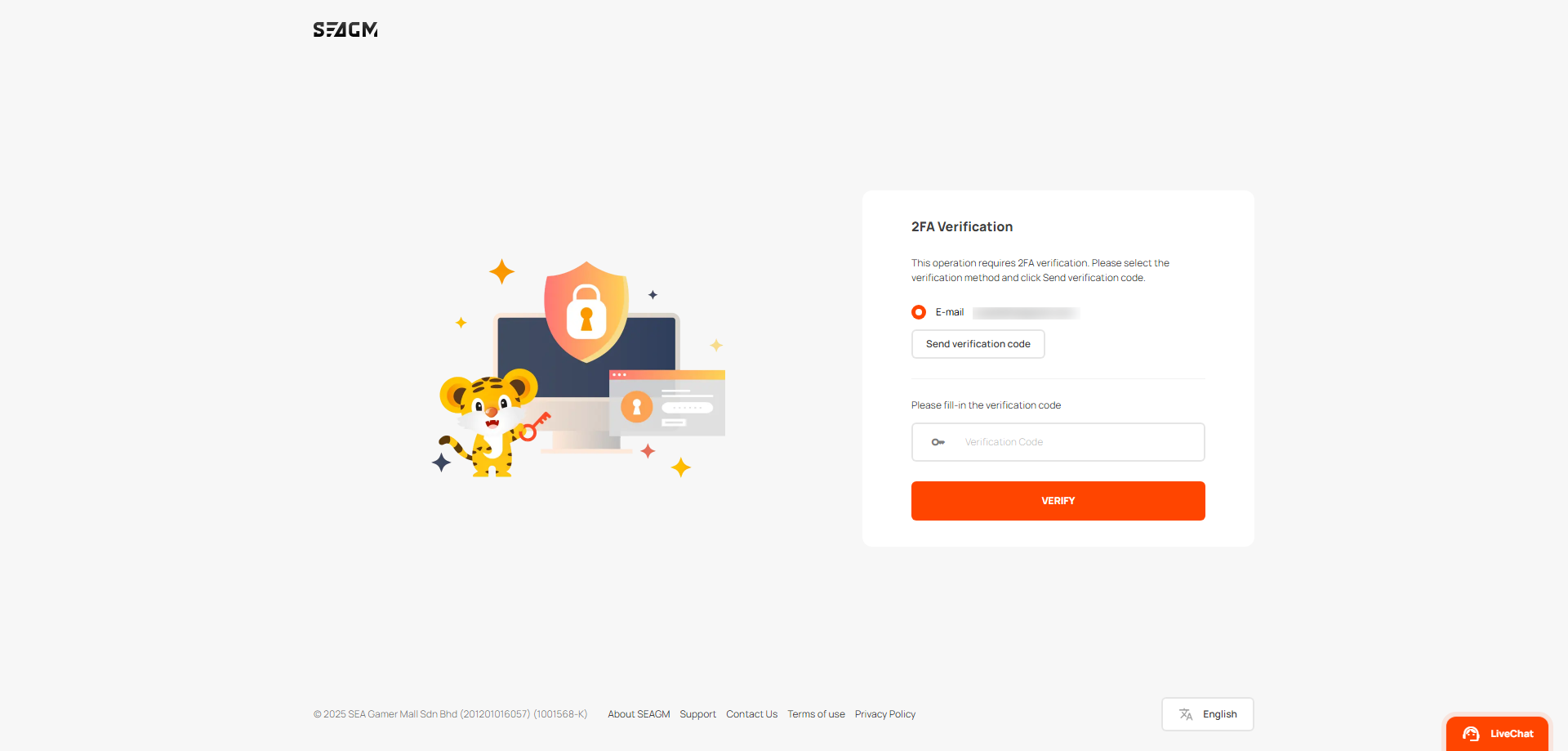
To proceed, you'll need to complete a quick two-factor authentication (2FA) check. Simply click Send verification code to receive your verification code.
-
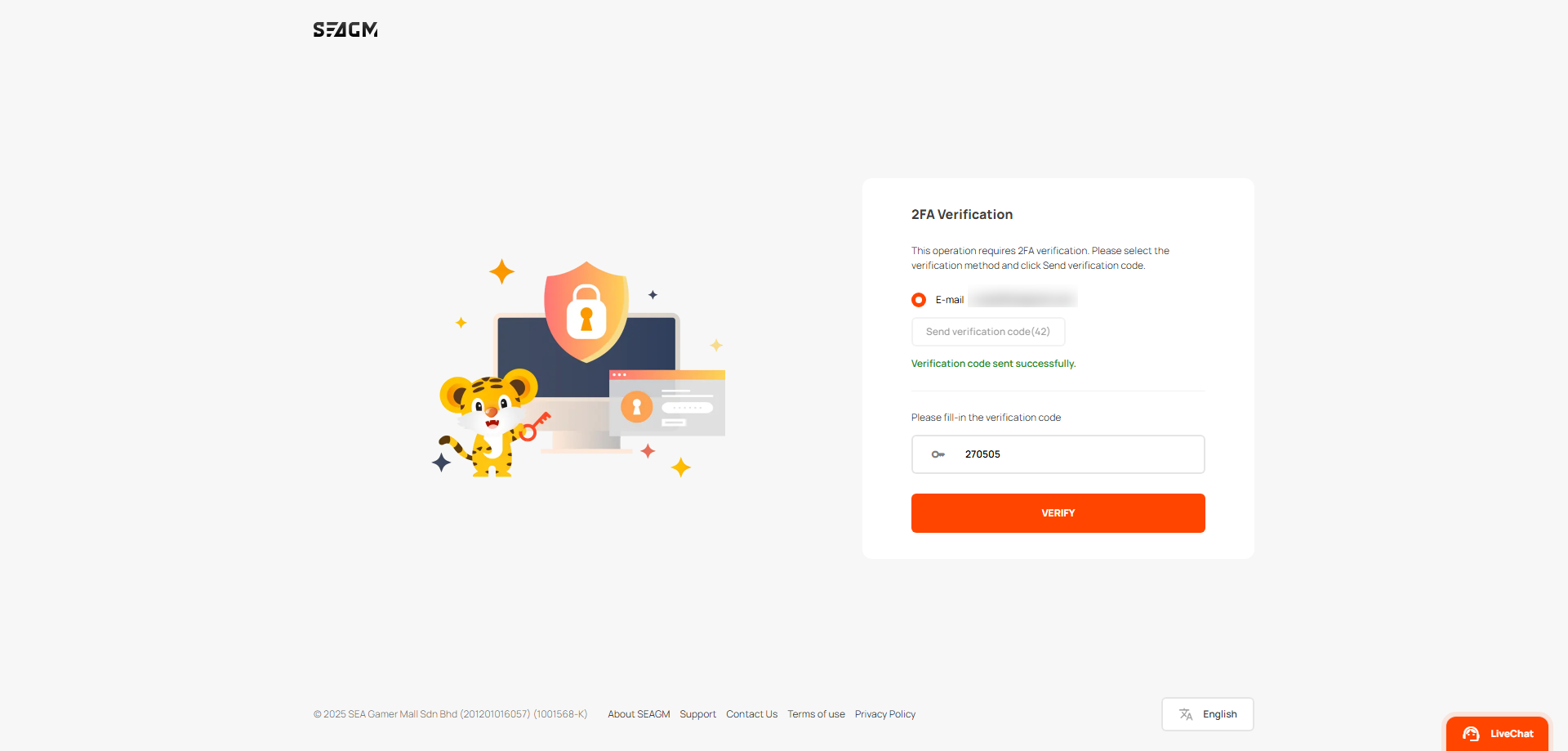
After receiving the verification code, enter it in the box provided and click Verify to proceed.
-
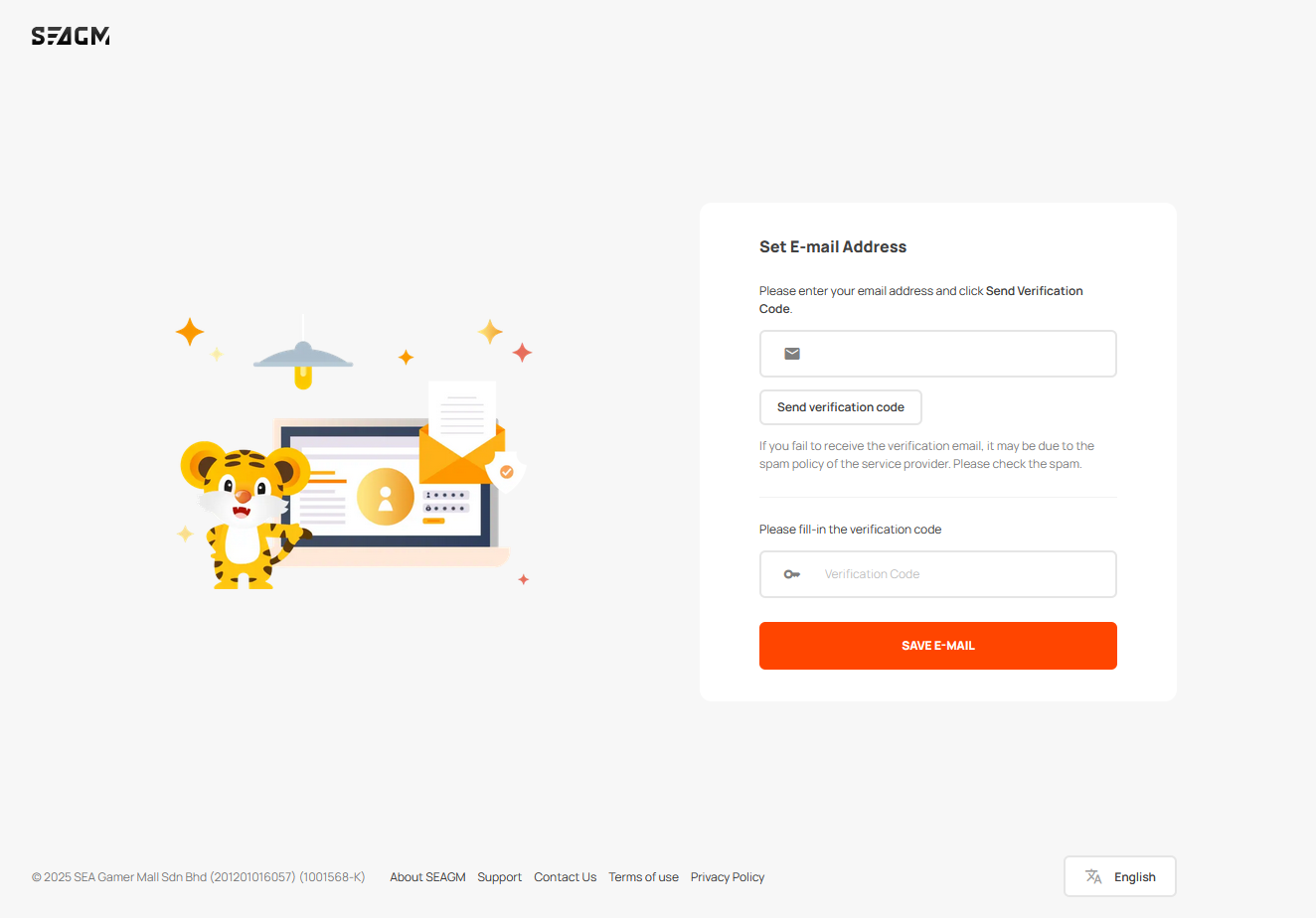
You’ll then be directed to the update page. Enter your new email and click Send verification code. Once received, fill in the code and click Save email to update your email.
If you have any questions, please contact our Customer Support team.