Follow these simple steps below to pay with EPS (Netpay) [EUR]:
Step 1 : Choose your products in KALEOZ and then click "Pay Now" to be directed to the next page.

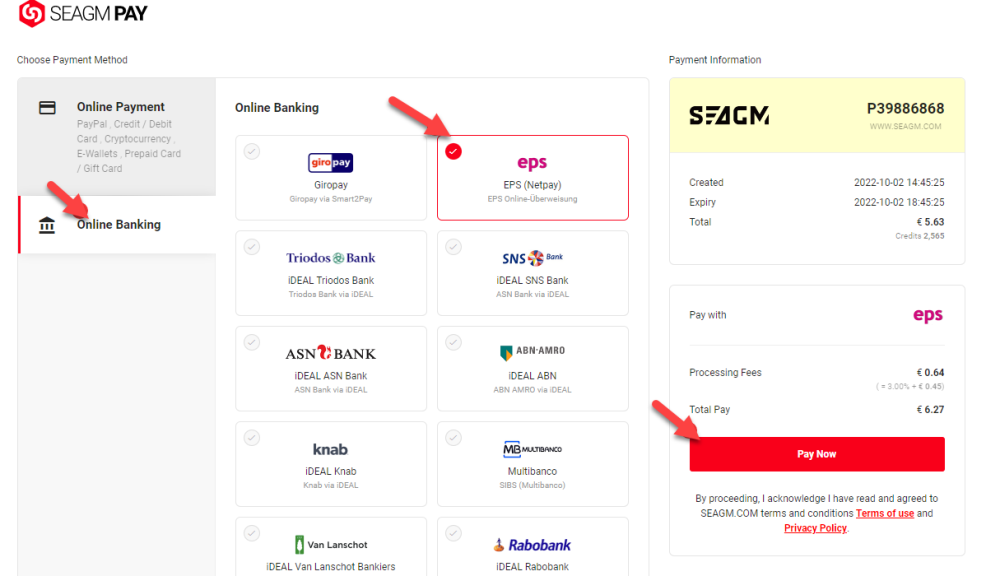
Step 2 : Under "Online Banking" category, select "EPS (Netpay)" then click on Pay Now to proceed.
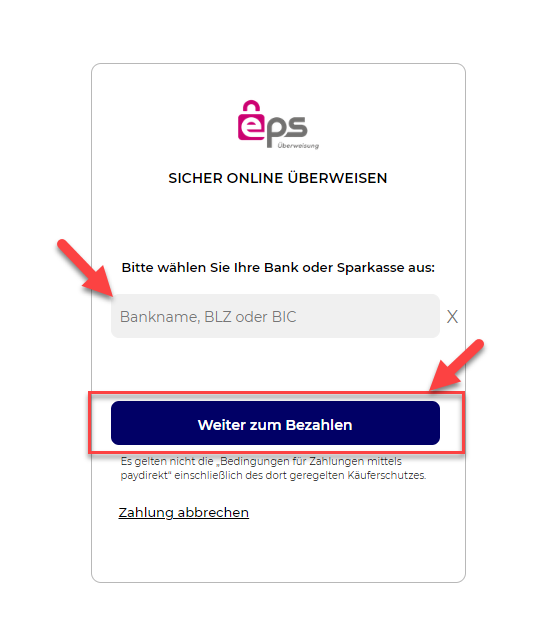
Step 3 : Once clicked, kindly enter your bank name, code/ BIC and click on "Weiter zum Bezahlen" to continue.
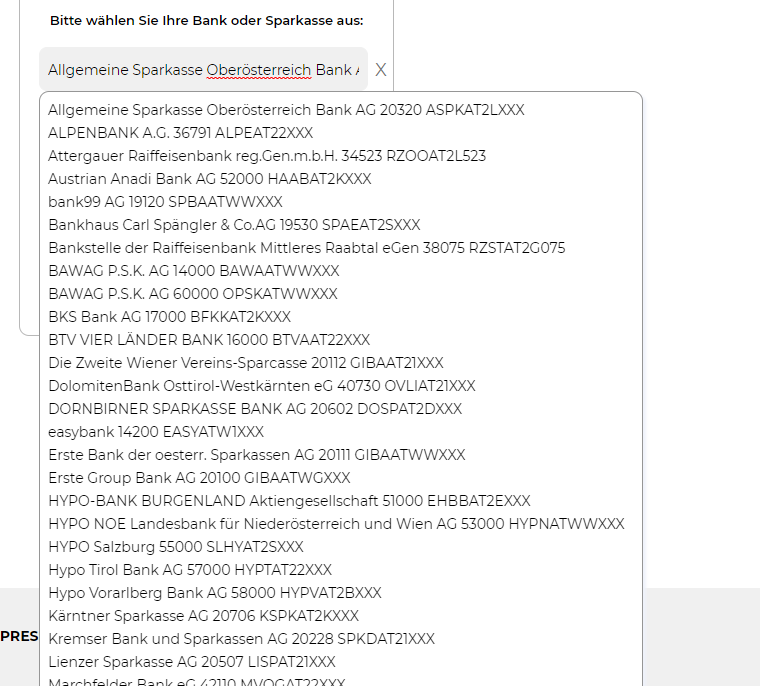
Note: You may key in the first alphabet of your bank, and a list of bank names will be shown, kindly select the one you need.
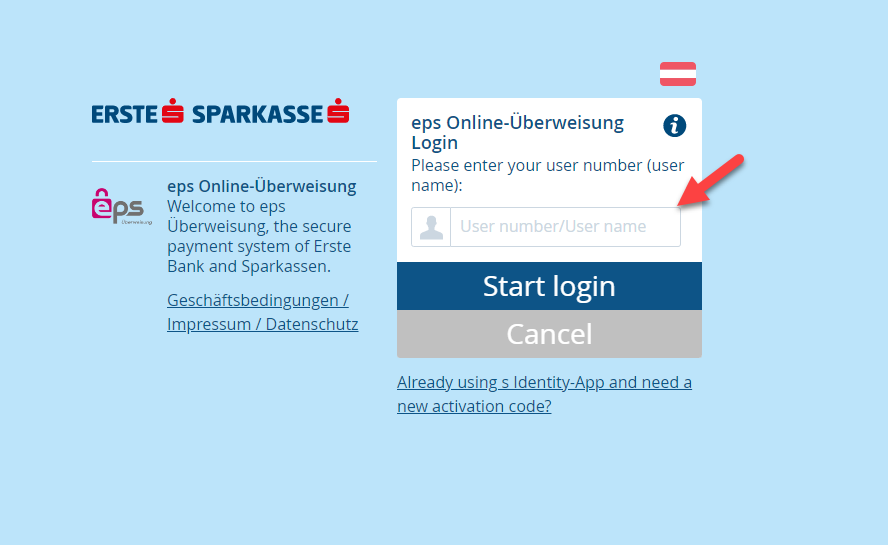
Step 4 : Once selected the bank of your choice, you will be directed to the payment page of the relevant bank. Kindly enter the login information to continue.
Step 5 : Kindly follow the on-screen instructions to make the payment. Once the transaction is completed, please allow the payment gateway to re-direct you back to our website to fully complete the transaction.
Step 6 : After you're redirected back to our website, you may contact the seller to deliver your order. You may check your order status under the KALEOZ profile "My Orders" section.