Phone number verification is required to help maintain a secure and reliable platform for all users.
By verifying your phone number, we can:
- Confirm that the account owner is a genuine user.
- Reduce system risks and help prevent fraudulent or suspicious activities.
- Enhance account security and support the account verification process when necessary.
How do I verify my phone number?
-
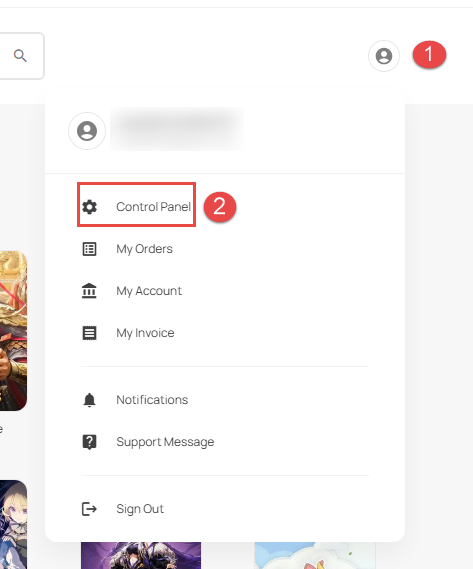
Login to your KALEOZ account, click on profile icon then control panel.
-
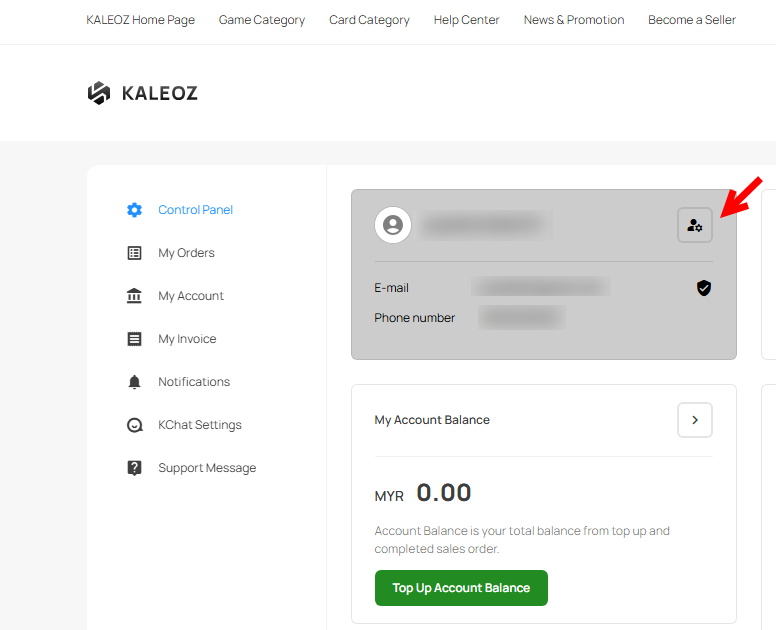
On control panel page, click on the setting icon to access User Profile page.
-
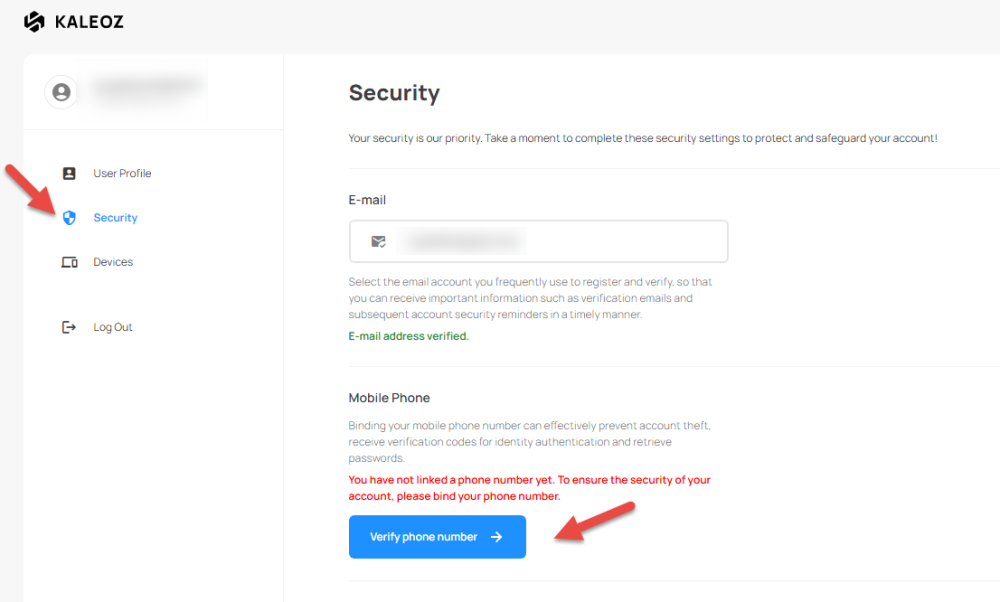
On User profile page go to security tab then click Verify phone number.
-
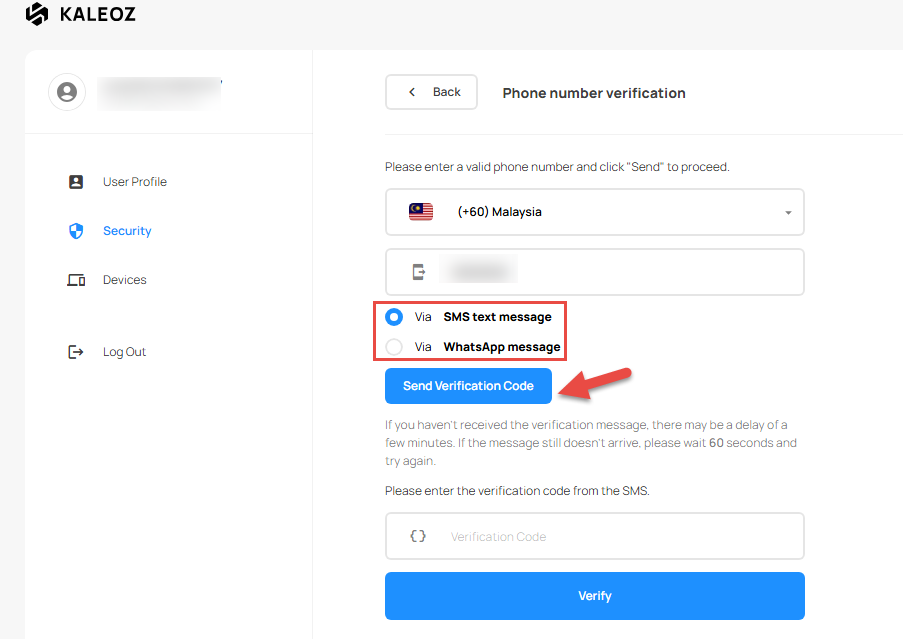
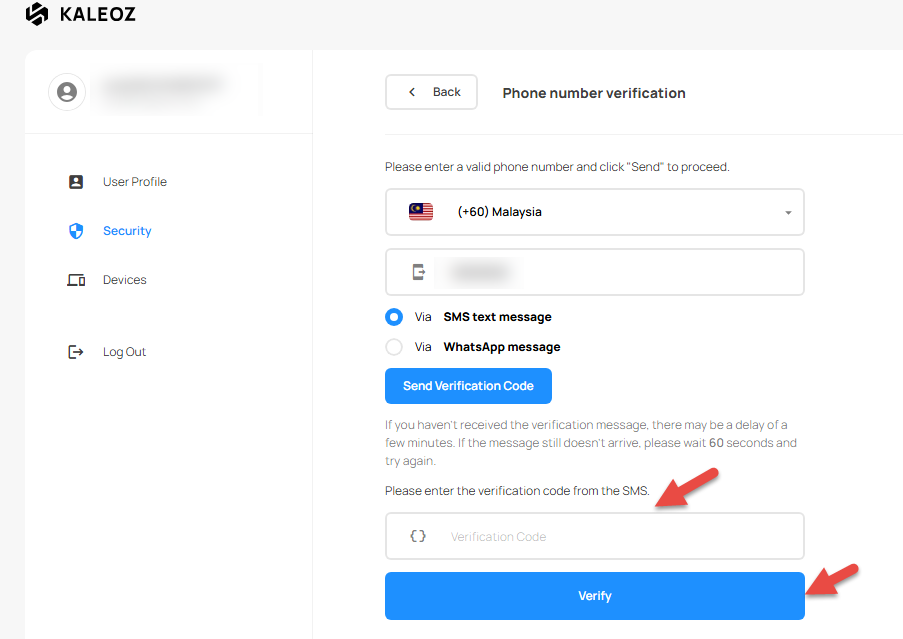
Choose your Country/Region, enter a valid phone number and choose whether to receive the code via SMS or WhatsApp then click "Send Verification Code"
-
Enter the verification code then click Verify.
-
Congrats, you've completed the phone number verification step.
Having trouble verifying your phone number?
If you are experiencing difficulties with phone verification
- Ensure that the phone number entered is correct and that you have selected the appropriate country code.
- Make sure your device can receive SMS or WhatsApp messages. Please note that verification codes for certain countries may only be delivered via WhatsApp.
- If you have not received the verification code, wait at least 30 minutes before requesting a new code and trying again.
- Avoid making multiple verification attempts within a short period, as this may trigger temporary security restrictions. A cooling-off period may be applied after multiple failed attempts, during which you will need to wait at least 1 hour before trying again.
If you are still unable to verify your phone number after following the steps above, don't hesitate to contact KALEOZ Support for further assistance.