There may be times when a seller marks your order as delivered, but you have not received the product, or the item received is incorrect or does not match the quantity you ordered. You can contact the seller through Kchat to follow up on your order. If the seller does not respond, please click “Request Refund” on the order details page to submit your refund request.
Steps to Request Refund For Order Marked As Delivered
-
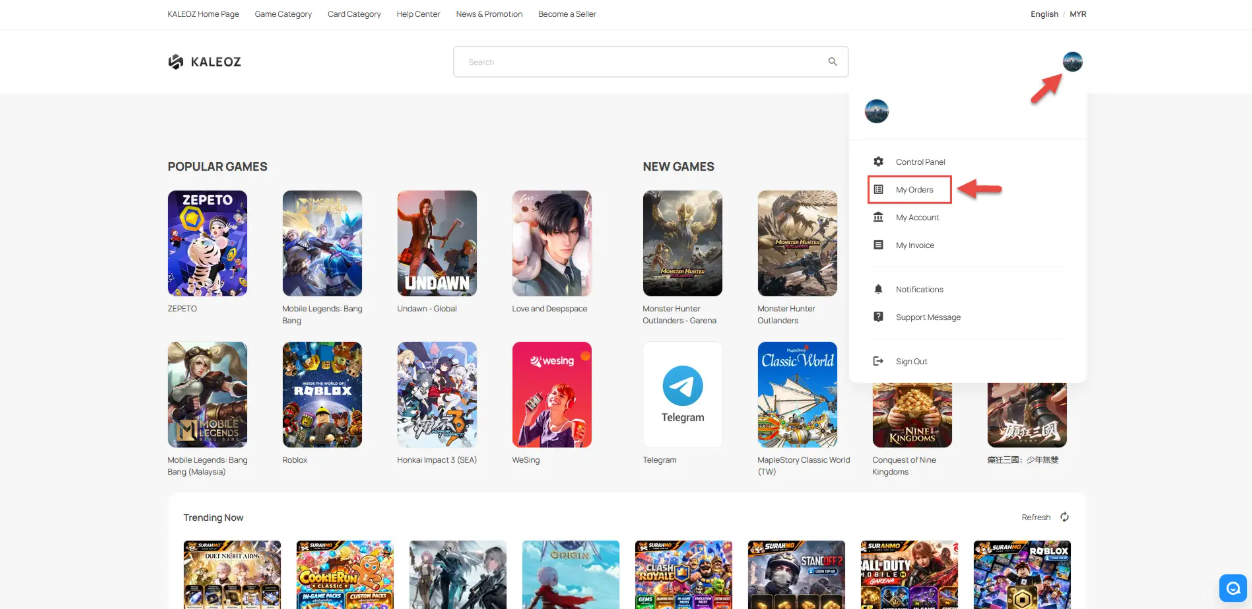
In KALEOZ Main Menu page, click your profile in the top-right corner then select "My Orders".
-
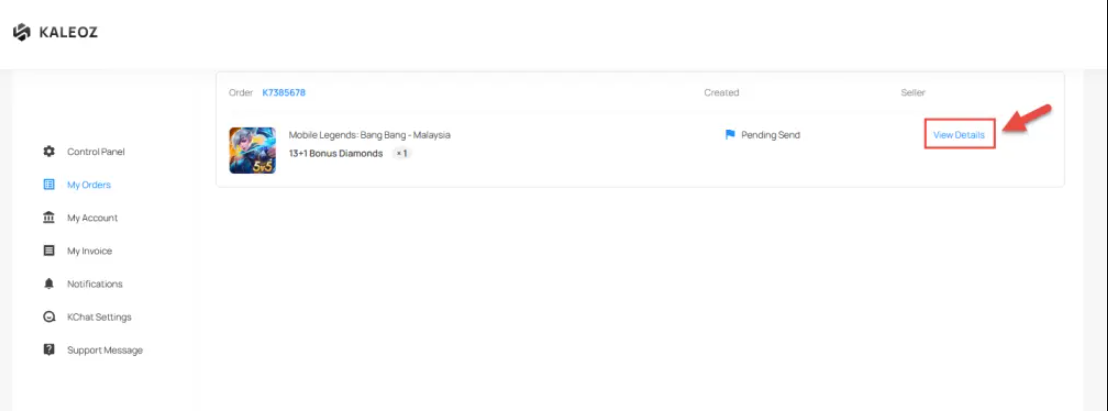
Find the order and click "View Details" to open the order details page.
-
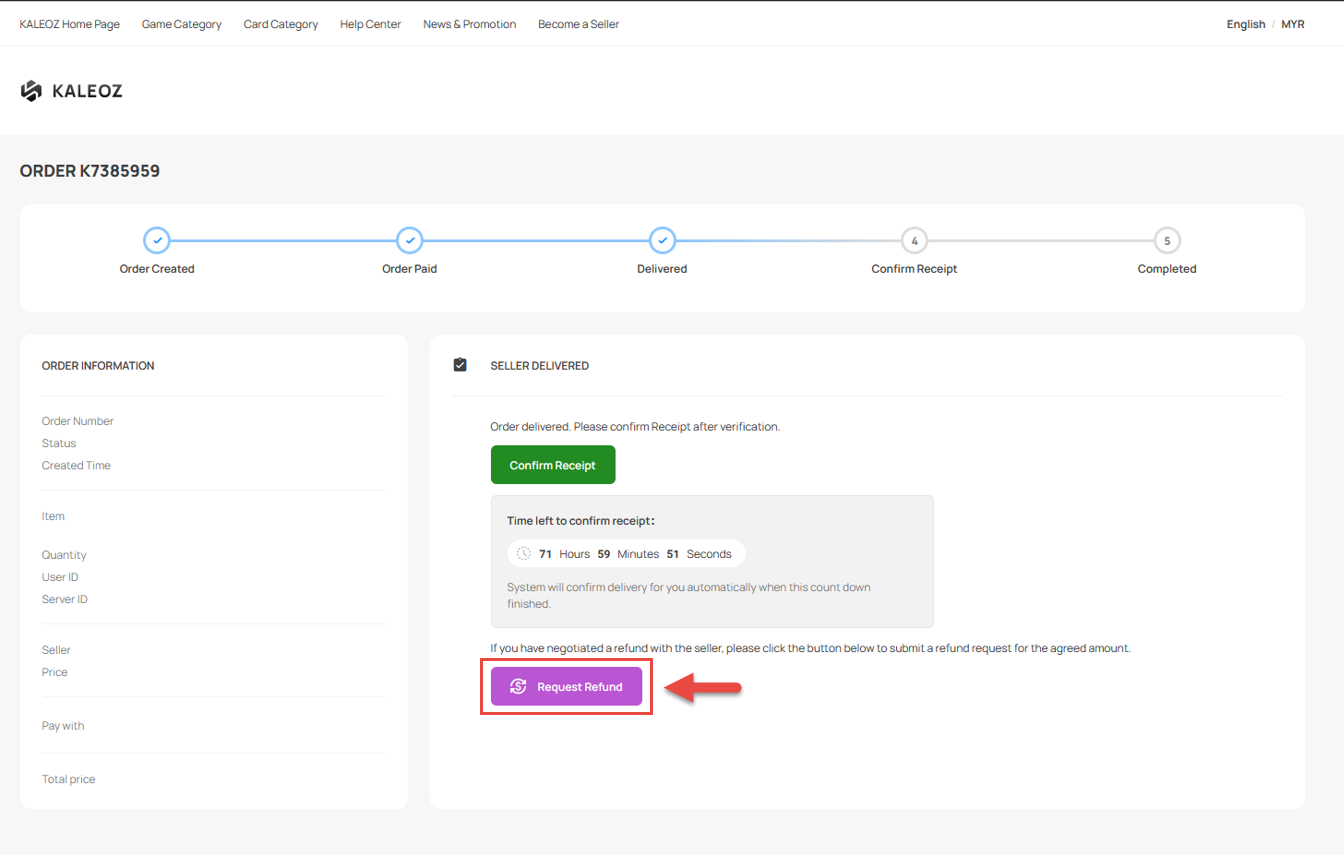
Click "Request Refund" button to submit your refund request.
-
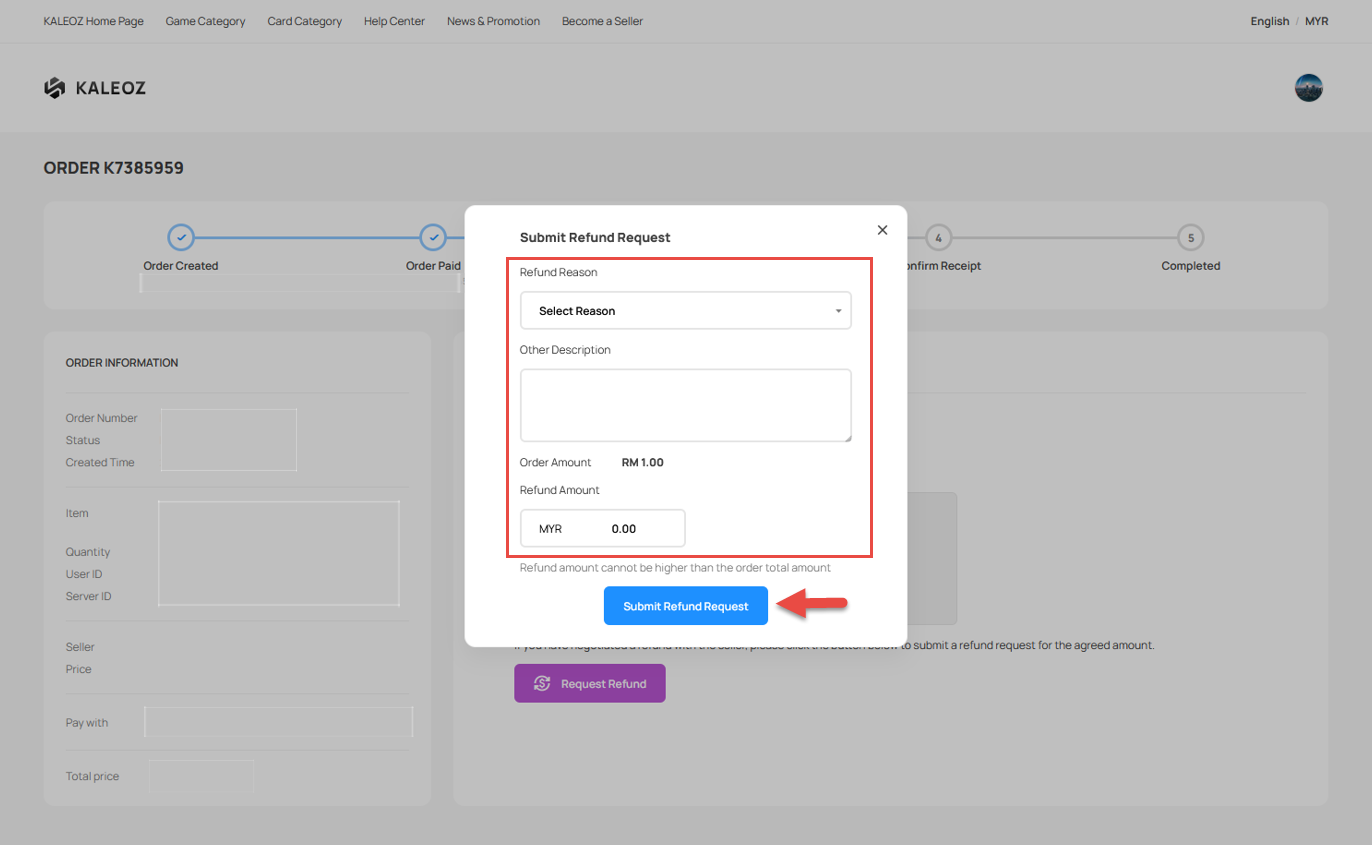
Describe your reason to refund the order and enter the refund amount. Click "Submit Refund Request" to proceed.
-
Once the request has been submitted, the seller has 24 hours to respond to the request. If the seller does not respond within this timeframe, our system will automatically process the refund for your order.
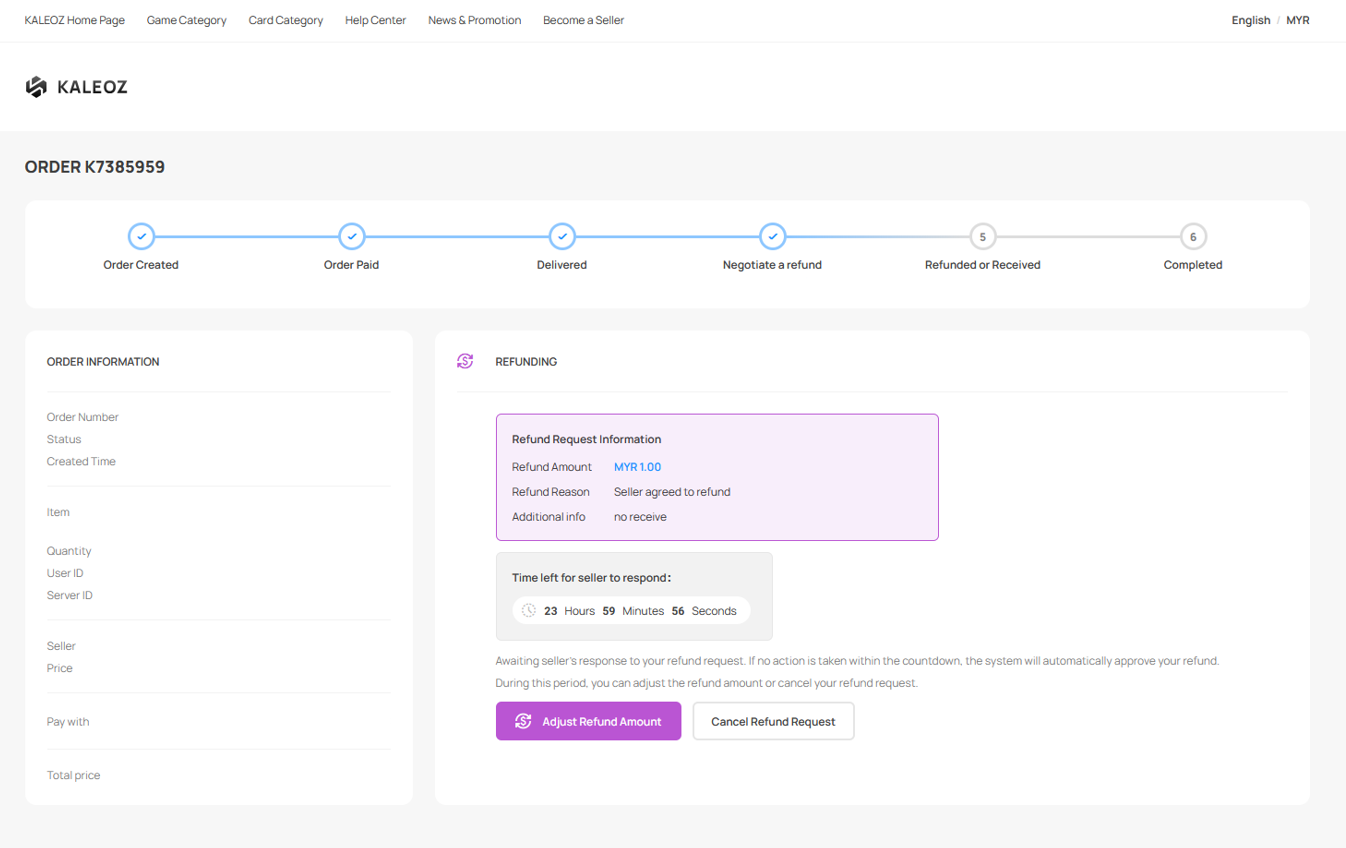
-
If the seller rejects your refund request, you can click "Request KALEOZ Mediation" to escalate the dispute to our KALEOZ Support Team. Our team will review and investigate the case to help resolve the issue.
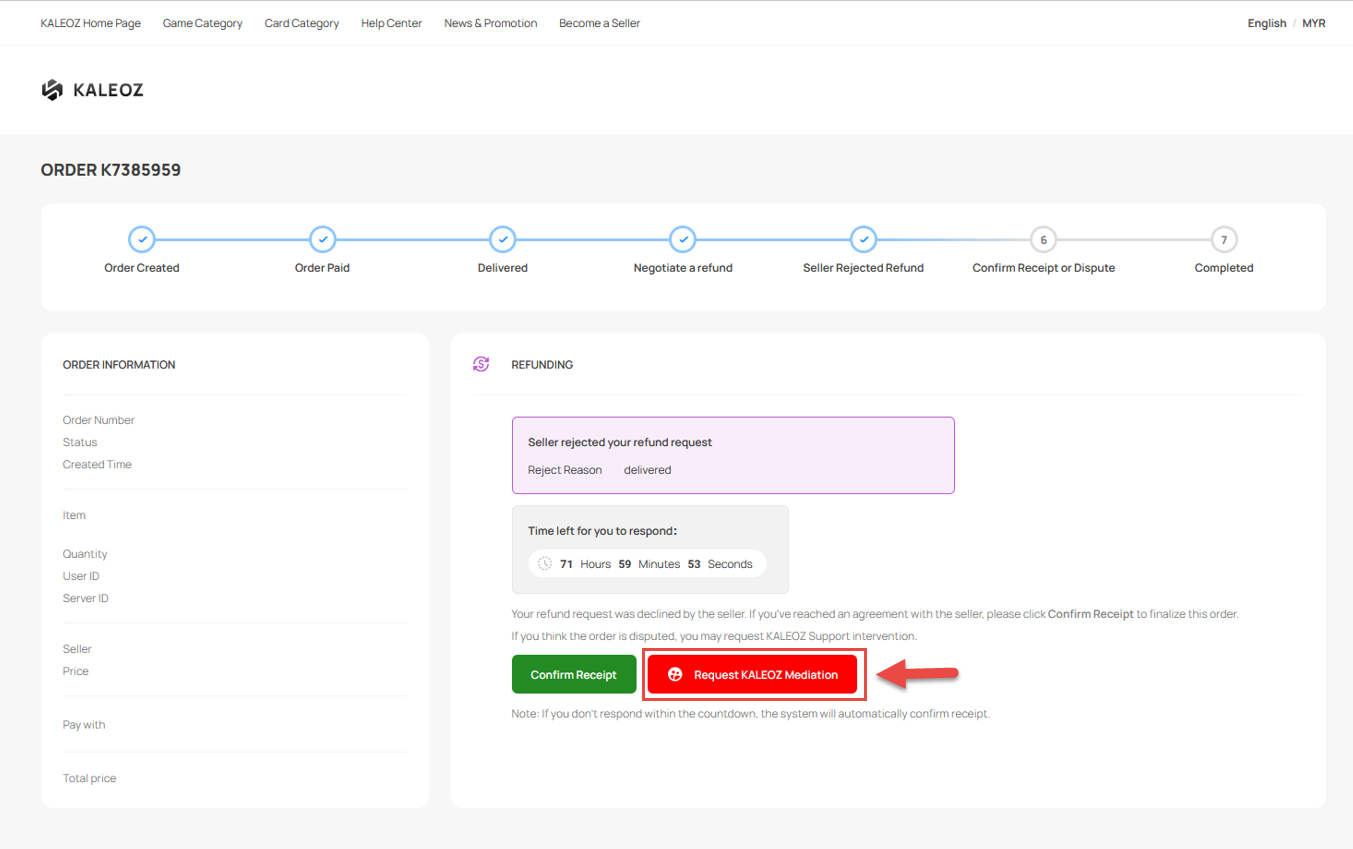
-
Describe the issue with your order and upload any relevant images to support your request. Once you have provided the necessary information, click "Submit Request" to proceed.
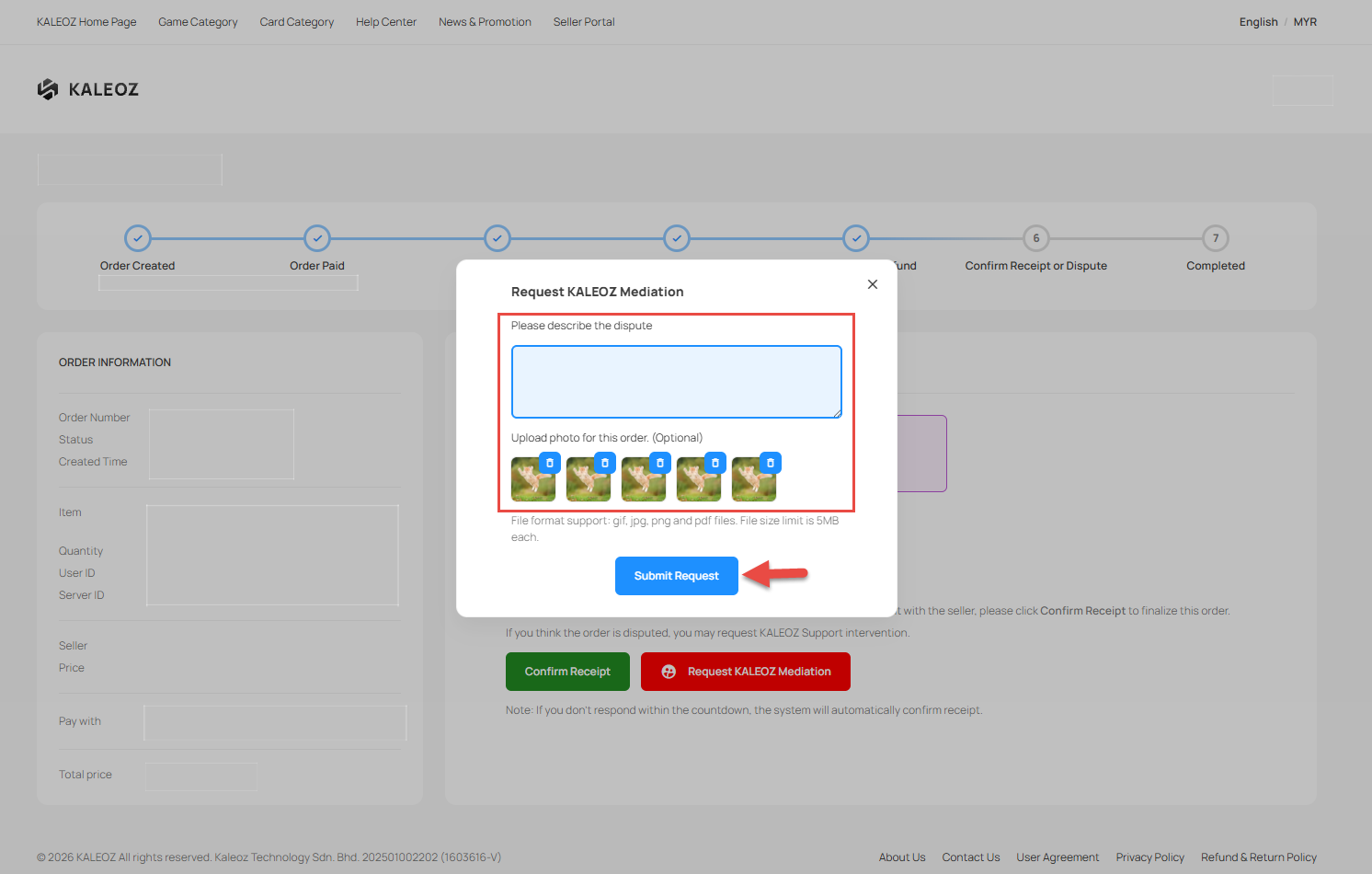
-
Our KALEOZ Support Team will carefully review the dispute by assessing the evidence and information provided by both the buyer and seller. We will make a fair decision to determine whether the dispute outcome is in favor of the buyer or the seller. The investigation timeframe may vary depending on the complexity of the dispute and we appreciate your patience during this process.
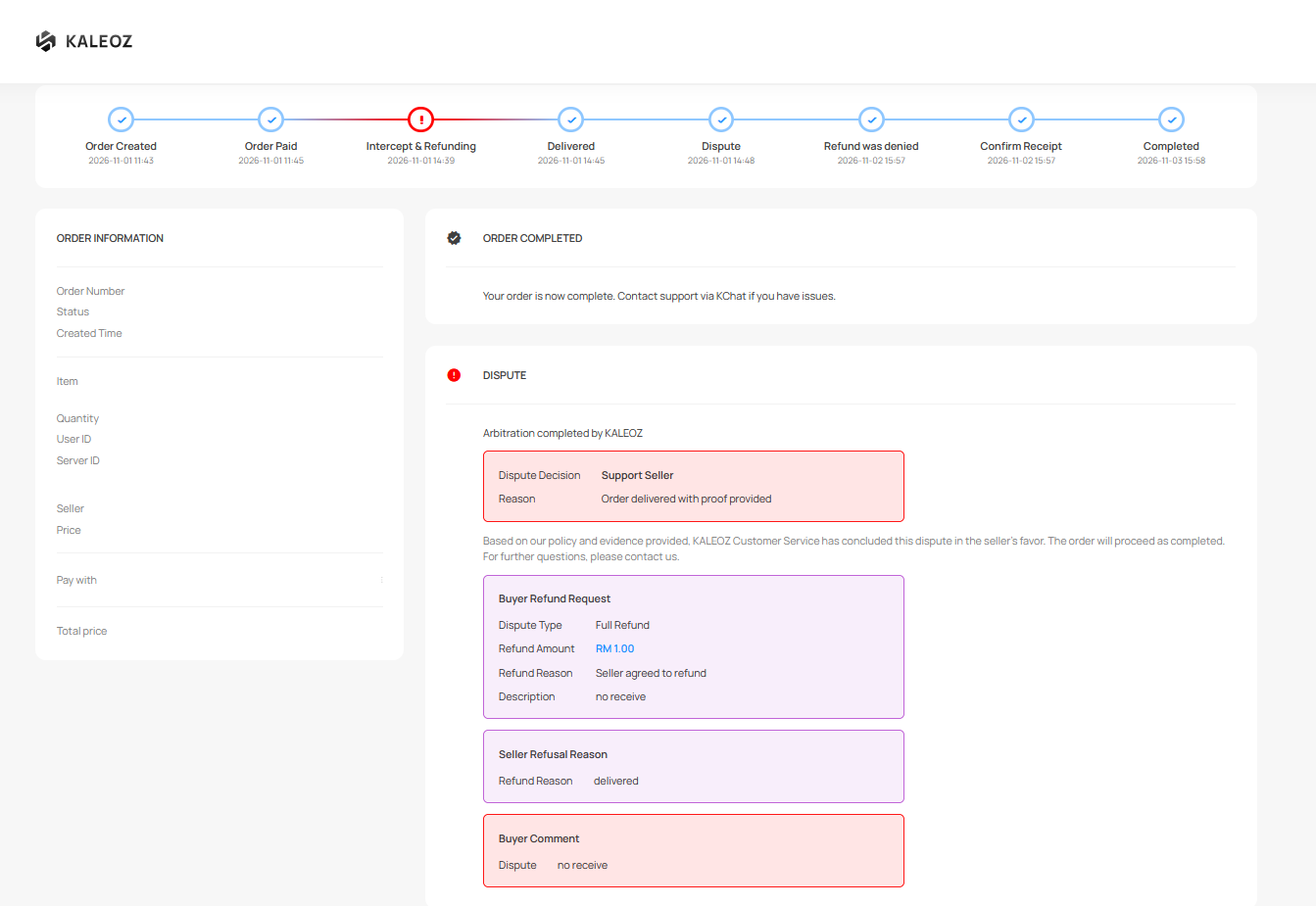
If you have any questions or need assistance, please feel free to contact our friendly KALEOZ Support Team and we’ll be more than happy to assist you!