As one of Malaysia's leading e-wallets, GrabPay lets you conveniently pay for everyday services including bills, groceries, food delivery, rides, and prepaid top-ups all in a single app. Plus, you’ll earn GrabRewards points on every transaction!
-
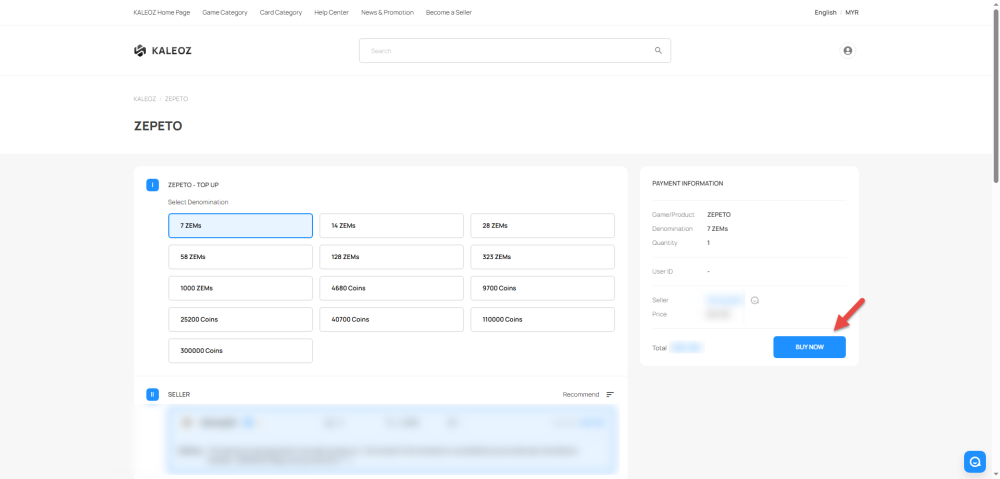
Select your desired item, choose your preferred seller, enter the required details (such as your UID), and click 'Buy Now'.
-
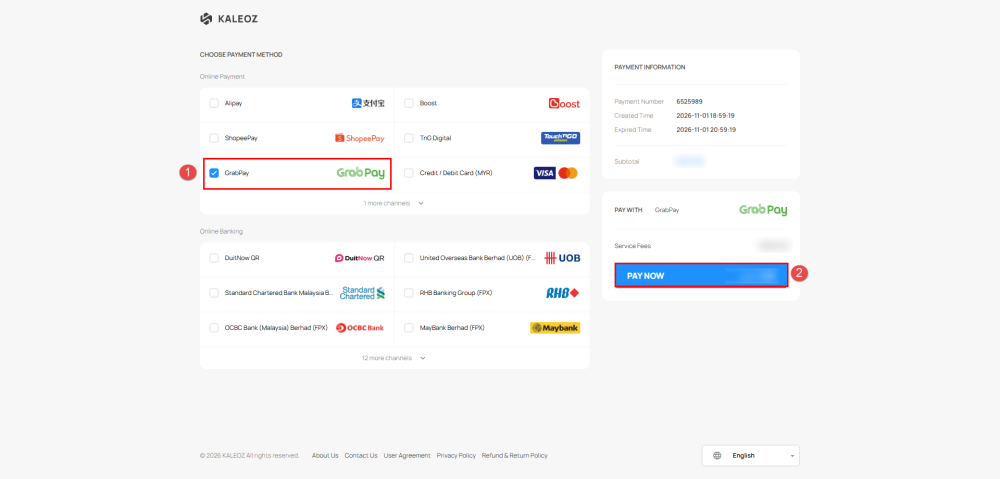
On the checkout page, select GrabPay and click 'Pay Now' to proceed.
-
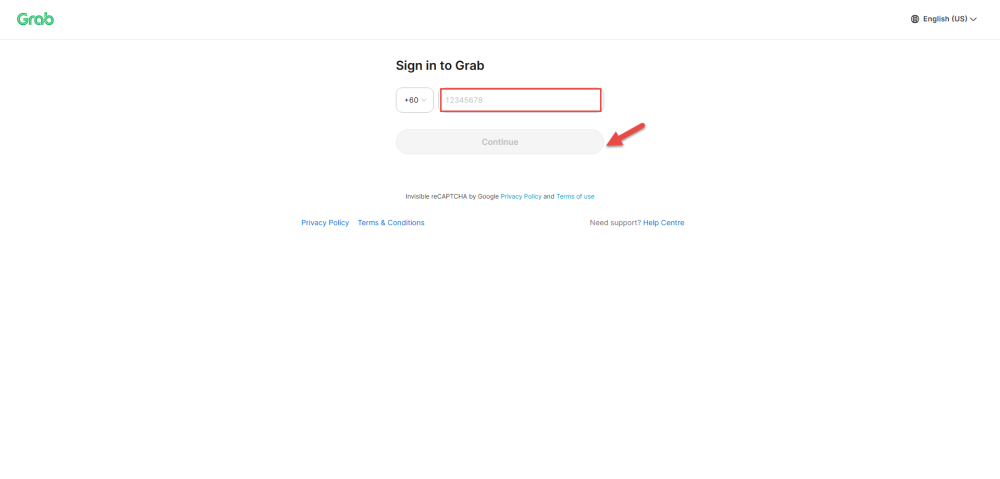
Sign in to Grab using your registered phone number, then click 'Continue'.
-
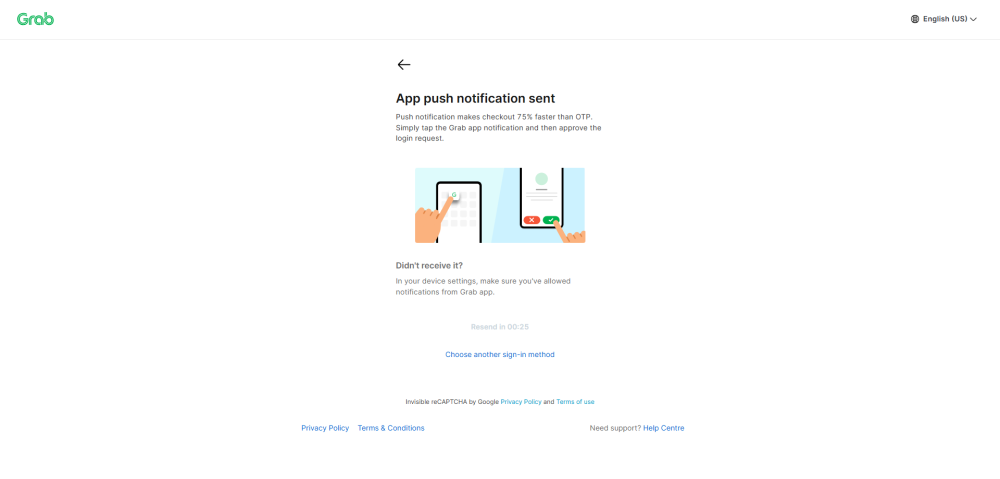
Check your Grab app for a push notification and tap to approve the login request.
-
Once successfully logged in, click 'Pay' to complete your transaction.
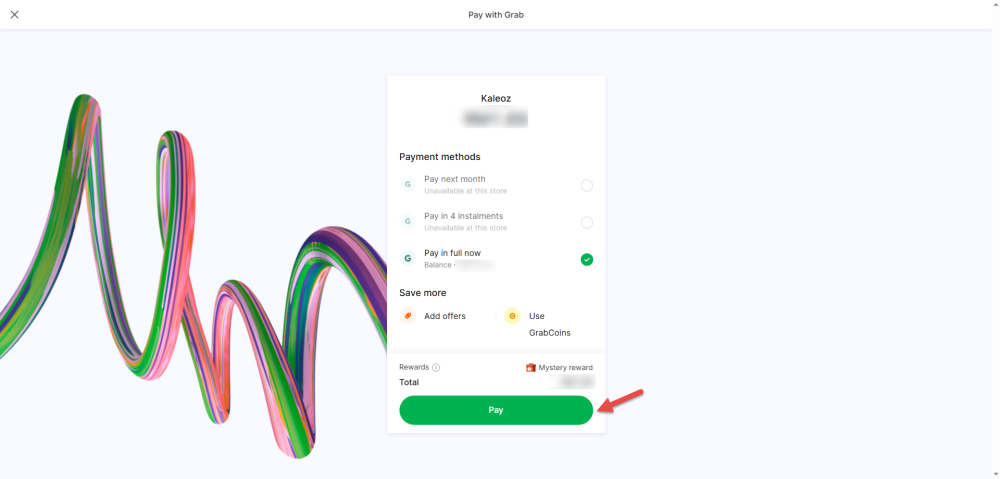
-
After the payment is successfully paid, you will be redirected back to our website. You may contact the seller to deliver your order. You may check your order status under the KALEOZ profile "My Orders" section.
If you have any questions, please contact KALEOZ Customer Support team.