If you’ve recently changed your mobile number and need to update the details on your Kaleoz account, don’t worry—the process is quick and straightforward. Simply follow the step-by-step instructions below to successfully update your information.
Note: Your mobile number can only be updated once every 90 days.
Steps to Follow
-
Visit the following link: https://member.seagm.com/ucp/security/info
-
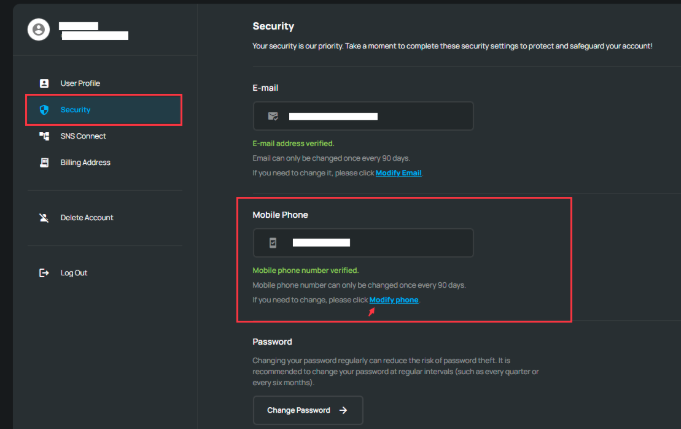
In the Mobile Number section, select the option labeled [Modify phone] to start updating your mobile number.
-
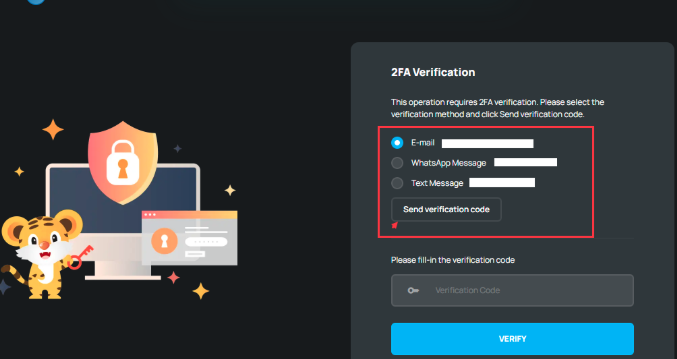
To proceed you will need to verify your identity using one of the available verification options. Select your preferred method and click [Send Verification Code].
-
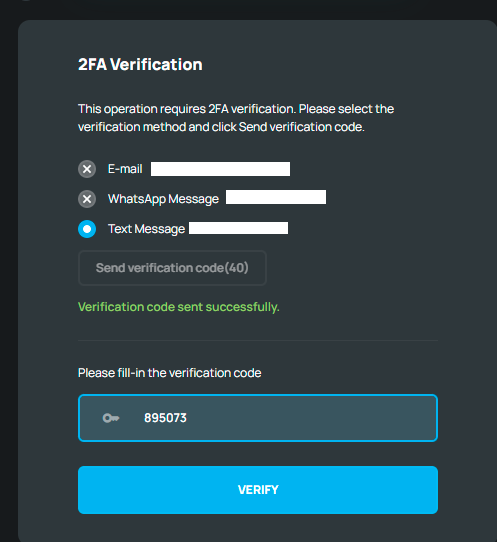
After receiving the verification code, enter it in the box provided and click Verify to proceed.
-
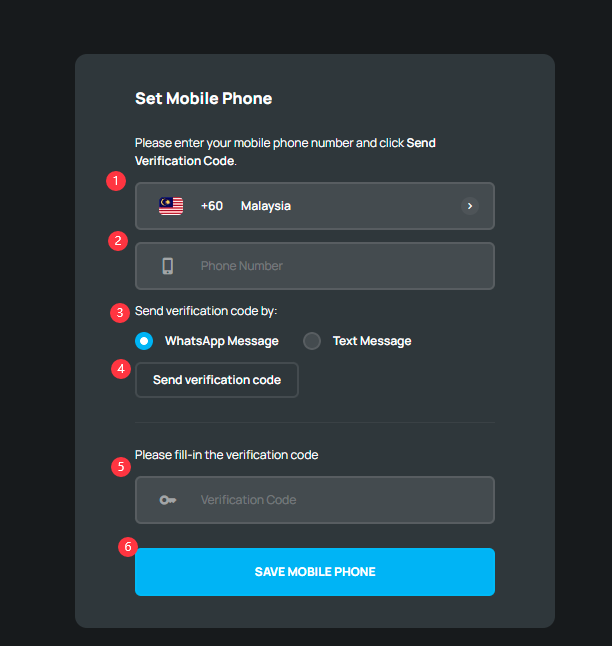
You’ll then be directed to the number updating page.Enter your new mobile number, select your preferred verification method, and input the verification code you receive. Once completed, click [SAVE MOBILE PHONE]
If you have any questions, please contact our Customer Support team.