How to Top Up Mobile Legends (MLBB) diamond Cheap on KALEOZ – Fast & Secure In-Game Currency Recharge Guide
Top up your Diamonds in just a few clicks—fast, safe, and reliable.

Dominate the battlefield in Mobile Legends: Bang Bang (MLBB)! As one of the top MOBA games, players everywhere are looking to buy MLBB Diamonds to level up their experience. Diamonds are your ticket to unlocking heroes instantly, scoring limited-edition skins, and personalizing your playstyle. Grab the game's premium currency today to unlock powerful features and stand out in every match.
What Are Diamonds in Mobile legend(MLBB)?
In Mobile Legends: Bang Bang (MLBB), Diamonds are the game's premium, paid currency. While you can play the entire game for free and unlock many things just by playing, Diamonds act as the shortcut to get premium content, look cooler, and bypass the usual time-grinding.
Why KALEOZ is the best choice for your Mobile legends(MLBB) diamond top-up
When purchasing MOBILE LEGENDS (MLBB) Diamond through KALEOZ, you can enjoy a range of advantages that make your top-up process quicker, safer, and more convenient:
~ Fast and Hassle-Free Experience
Top up MLBB diamond with a quick and seamless checkout from start to finish.
~ Enjoy Seamless and Flexible Payment Methods
We support some of the most popular payment methods worldwide for your convenience.
~ Get your MLBB diamond's Delivered Instantly and Securely
Once your payment is confirmed, your MLBB diamond's are promptly credited to your account without delay!
How to Top Up MLBB Diamond's on KALEOZ
Not sure how to top up MLBB Diamond? Don’t worry the process is simple, beginner-friendly, and easy to follow step by step.
Steps to Follow
-
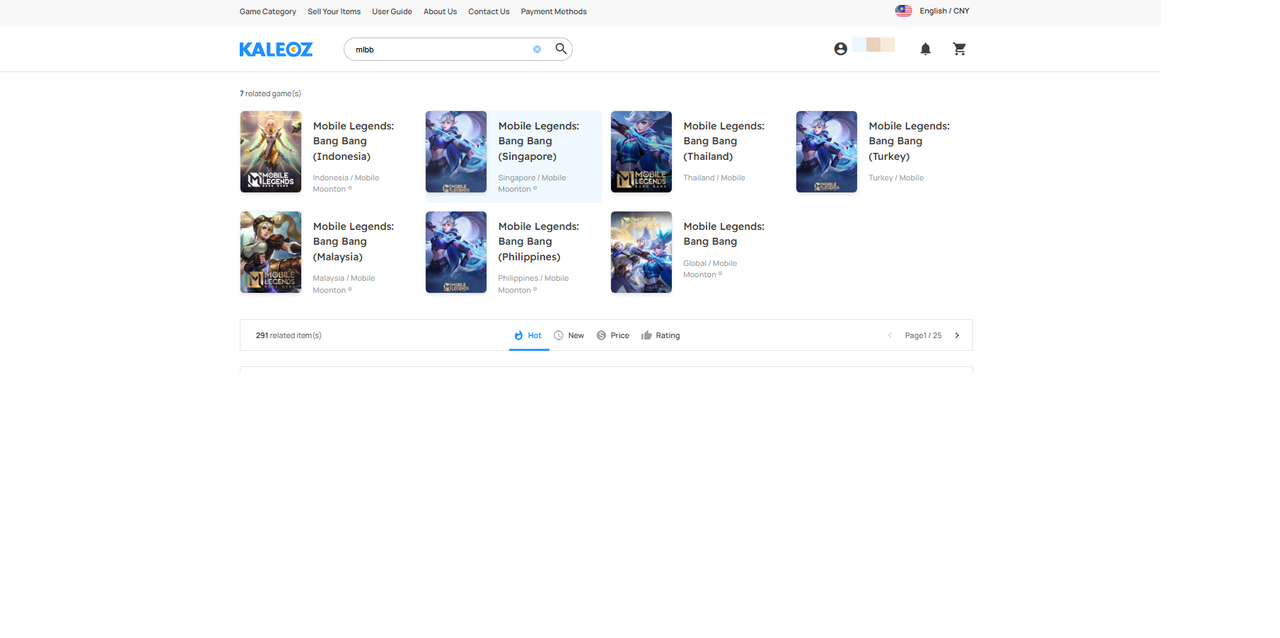
Find MLBB on our website and choose accordingly to your region or click here to access it directly.
-
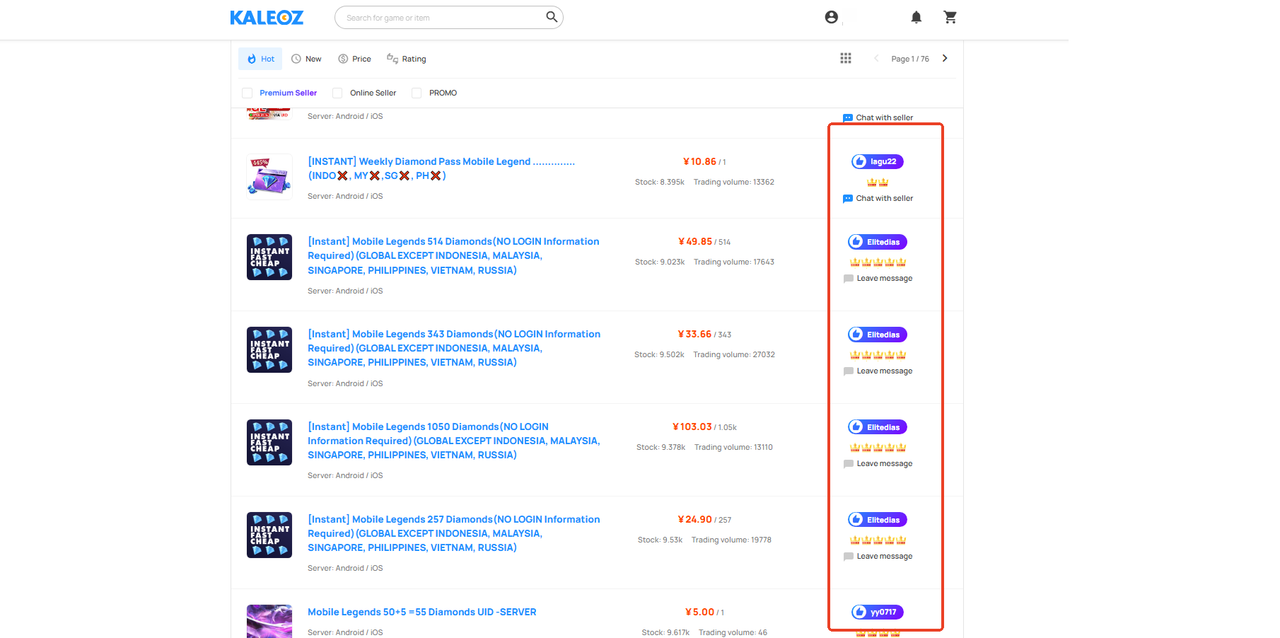
Choose from a variety of trusted sellers and select the amount and price that best suit your needs.
-
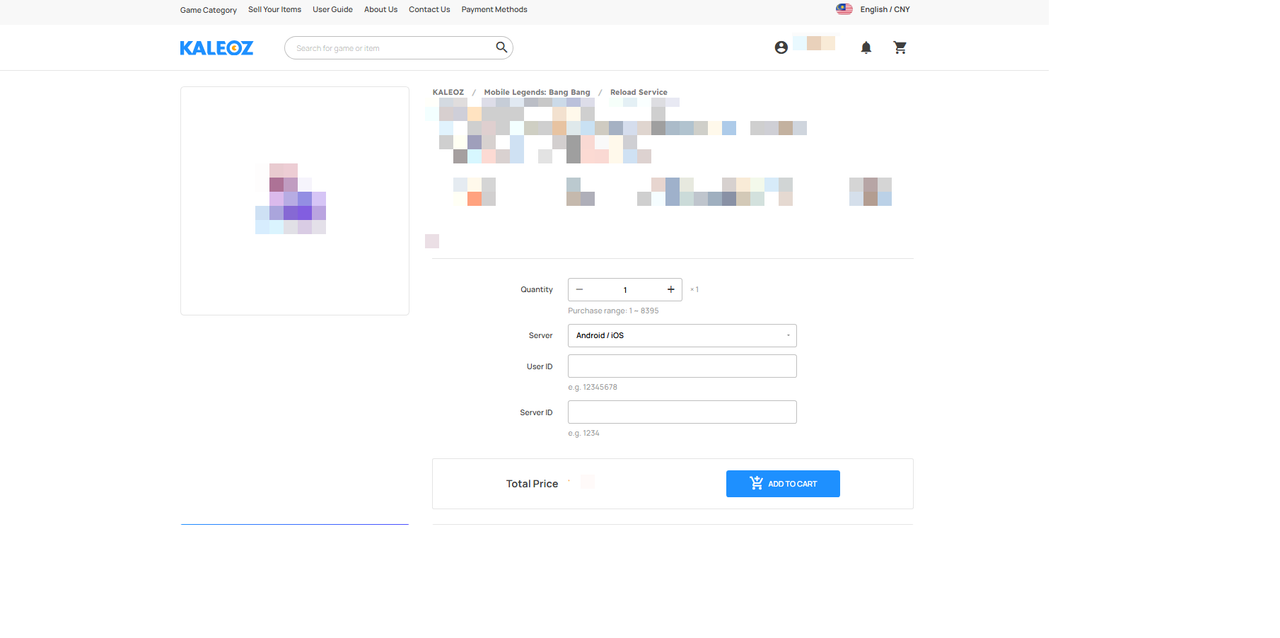
Once you've selected your preferred seller, amount, and price, enter your User ID and ZONE ID then click “Add to Cart” to proceed to the payment page.
-
Select your preferred payment method and complete the payment. After that, simply contact the seller to arrange delivery. Once the order is delivered, your diamond will be credited to your account immediately. You may check your order status under the KALEOZ profile "My Orders" section.
Note: Kindly ensure your MLBB ID is correct before continuing to the payment page. If an incorrect ID is entered and the top-up has already been processed, the seller will not take responsibility for the mistake.
How to Find Your MLBB User ID
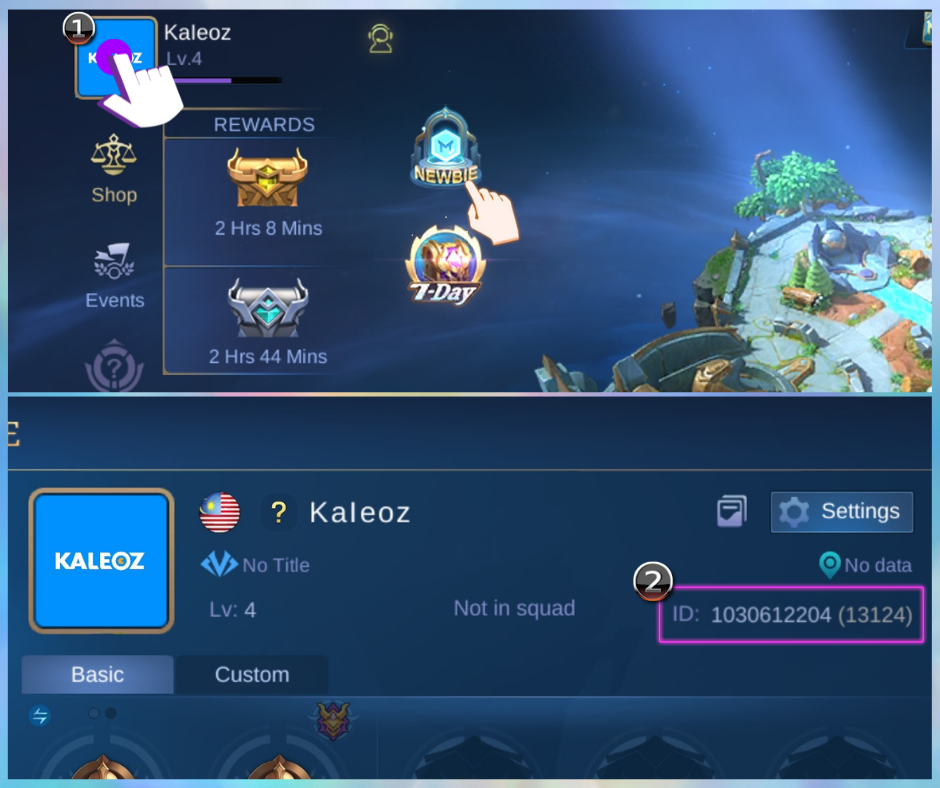
Step 1: Click on the avatar located in the upper left corner of the main screen
Step 2: Then User ID and Zone ID are located on the upper right of your profile

MLBB Diamond Top-Up
Recharge MLBB Diamond UID only — fast and secure.
If you have any questions, please contact our Customer Support team.